
TL;DR
AI landscaping from a photo lets you test low‑maintenance side yard ideas — trees, curved beds, native plantings, even a simple path — while keeping clear corner‑lot sightlines and play space. Upload one exterior photo to ReimagineHome.ai and preview multiple layouts before you buy a single plant. If you already have a tricky side yard image, try it now in ReimagineHome’s AI landscaping tool to see what fits, fast. This is the easiest way to balance curb appeal, cost, and kid‑/dog‑friendly function.
The Real Cost of Leaving a Side Yard as a Blank Strip
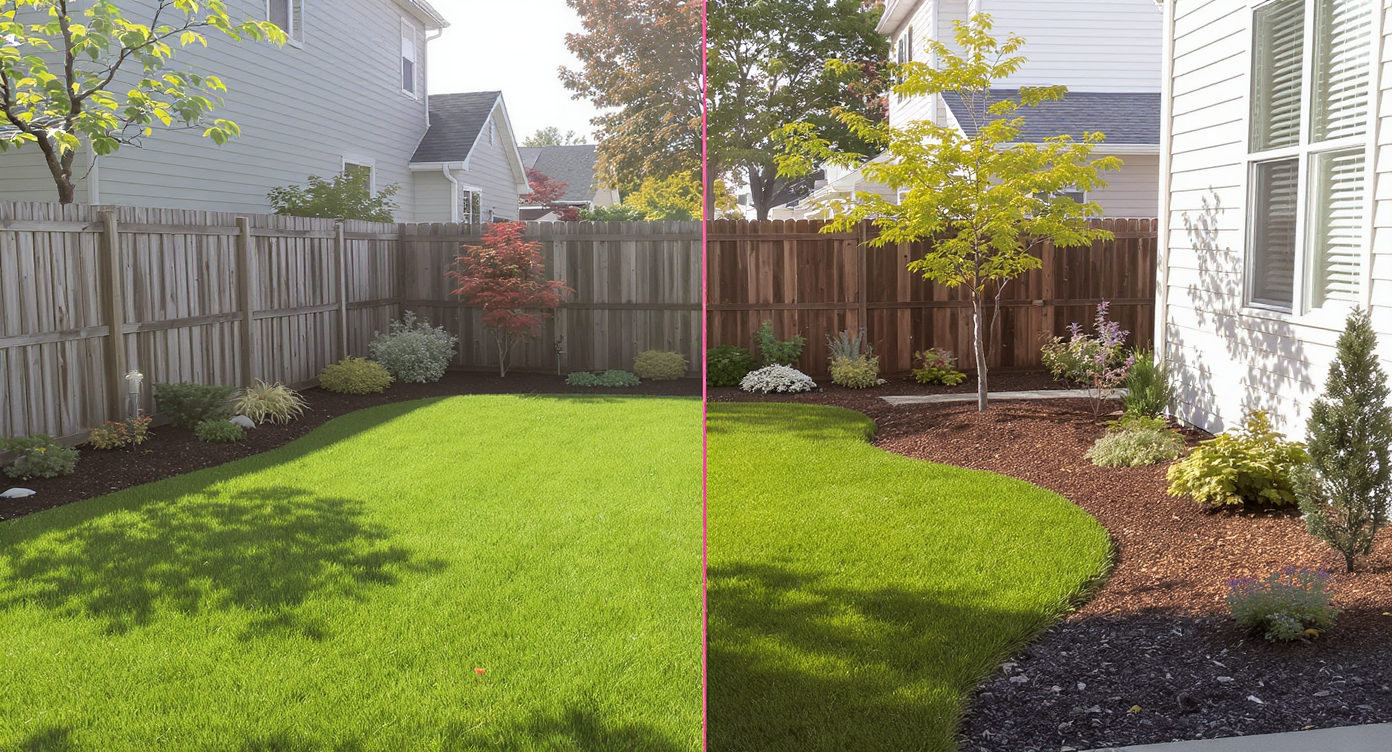
See instant side yard design options that maintain kid and pet play areas while adding greenery.
AI landscaping from a single photo previews plant beds, trees, and hardscape in your exact side yard. It’s powerful because you can protect kid/dog play space, maintain corner‑lot visibility, and cut watering and mowing — all before spending a dollar on materials.
- Results: Turn a monolithic grass corner into a shaped, low‑maintenance landscape that still leaves a clear “runway” for games.
- Realism: See native shrubs, ornamental grasses, and a small shade tree placed to scale against your actual house and fence.
- Speed: Upload one photo and generate multiple side yard concepts in minutes.
- Cost: Compare options digitally to avoid overplanting or the wrong tree in the wrong spot.
- Workflow: Test curved bed lines, mulch zones, and a simple path without blocking sightlines.
- ROI: Better curb appeal, less lawn to water, and a plan you’ll actually maintain.
- Peace of mind: Try “what if” ideas safely — from drought‑tolerant natives to a small flowering tree.
If you already have a tricky listing photo in mind, upload it to ReimagineHome.ai and test this solution on a real image while you read.
Why This Visual Problem Hurts More Than You Think

Large, uninterrupted grass areas can appear high-maintenance and visually uninviting.
Large, uninterrupted grass areas often read as underdesigned and high‑maintenance, especially on a visible corner lot. That means more mowing, more watering, and less identity — and on screens or from the street, it simply looks unfinished.
Here’s how it shows up day to day:
- Scroll behavior and curb appeal: Featureless green merges into the background. A simple bed edge, layered heights, and one accent tree give the eye a place to land.
- Buyer and neighbor perception: A shaped side yard signals care without clutter. It frames the house instead of amplifying its blank wall.
- Family function: Kids and dogs need a clear swath to run; a thoughtful curved bed can soften edges and still protect that “runway.”
- Safety and code: Corner‑lot sightlines matter. Placing taller plants back from the corner prevents visual blockages and avoids citation risk.
Anecdote
That perfectly good but empty side yard that kids use for ball games — yet it still looks like an afterthought from the street. A gentle bed curve and one small tree can change the whole story without taking away the “runway.”
What AI Landscaping Actually Is (In Plain Language)
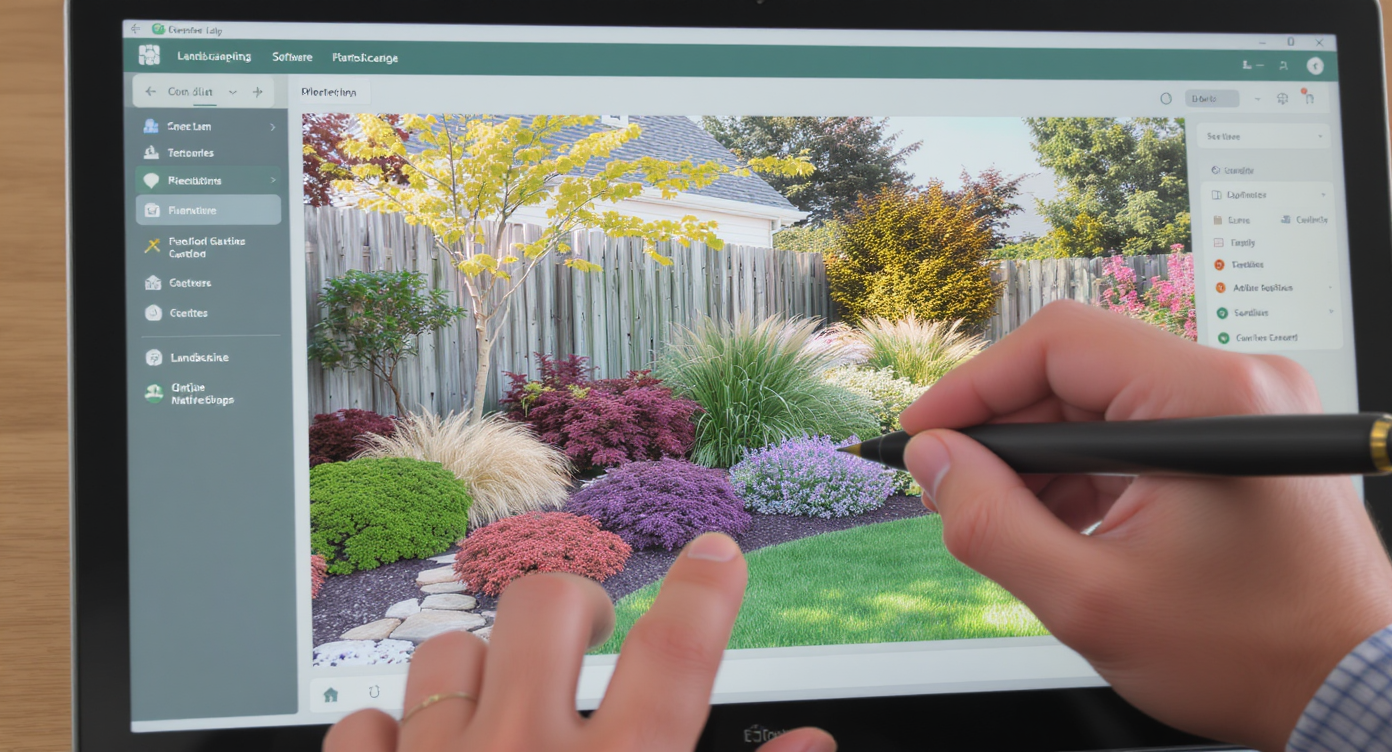
AI landscaping transforms one photo into lifelike yard design options with native plants and trees.
AI landscaping is a visual design tool that restyles your yard from a single photo with lifelike plants, trees, mulch, and groundcovers. You supply one exterior image; the tool returns multiple concepts — from native meadow borders to evergreen hedges — scaled to your house and fence.
To explore side‑yard options with native, low‑maintenance greenery, open ReimagineHome.ai’s AI landscaping solution. It works from typical smartphone photos and produces ready‑to‑share images for family, HOA, or a landscaper.
Output includes: shaped bed lines, plant massing, small trees for shade or bloom, mulch zones, and optional simple paths. You can iterate concepts until the balance between play space, privacy, and curb appeal feels right.
How AI Landscaping Works Step by Step
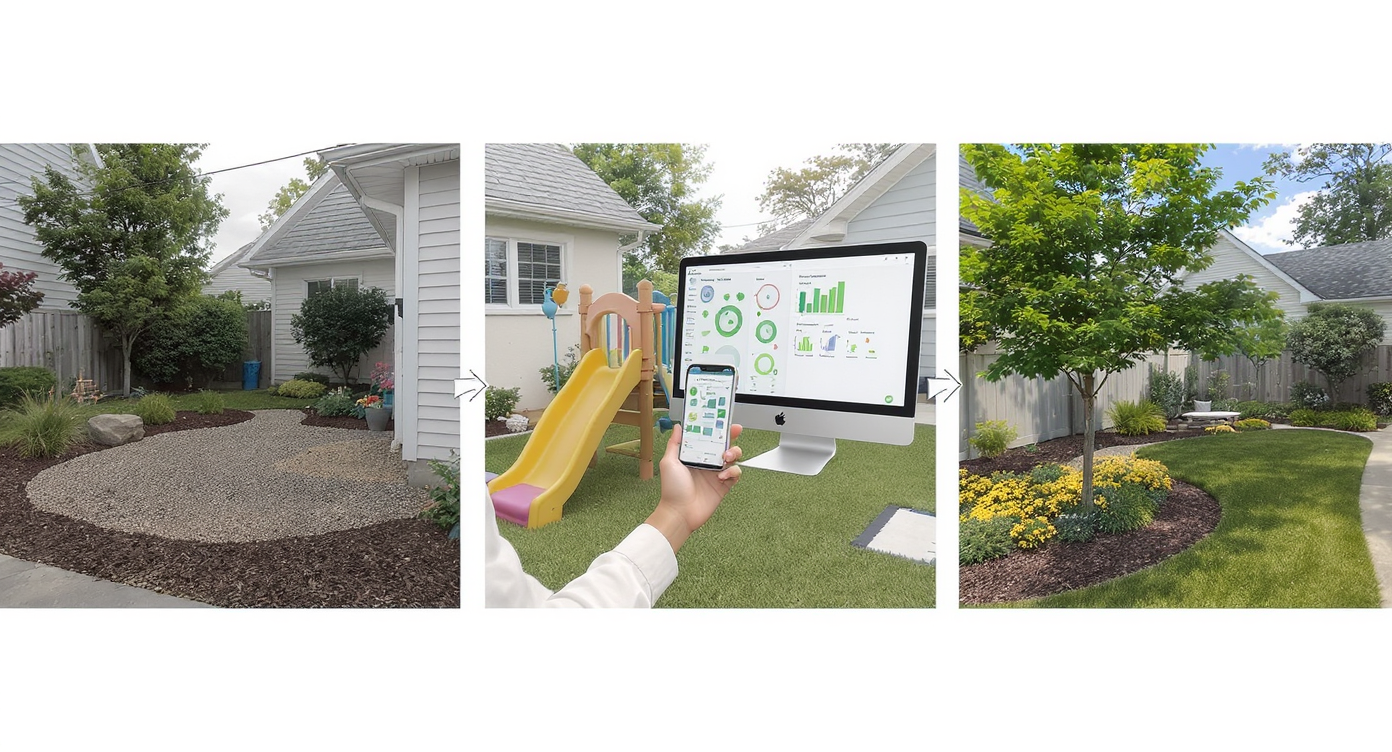
AI landscaping works step by step to create tailored yard designs preserving play spaces.
Good results come from a clear photo and a clear goal: keep a play lane, reduce maintenance, preserve corner visibility.
- Photograph the space: Stand where you (or passersby) actually see the side yard. Capture the house wall, fence, sidewalk/curb, and the open grass. Daylight with even exposure works best.
- Upload to ReimagineHome.ai: Start in the AI landscaping tool and note any constraints (e.g., “keep a 12–15 ft clear strip from driveway to fence for ball play”).
- Select a direction: Choose low‑maintenance themes like “native, drought‑tolerant,” “evergreen structure,” or “ornamental grasses + one accent tree.”
- Generate variations: Compare a curving bed vs. a straight hedge; try a flowering understory tree placed closer to the street to protect sightlines.
- Refine: Adjust bed depth (often 6–12 ft feels right on long walls), pull tall shrubs away from the corner, and keep spiky plants out of the play zone.
- Export and share: Download high‑resolution previews (aim for photos 2500–4000 px on the long edge for clean results) for HOA review or a plant list conversation.
Considering a simple path or gravel strip where dogs and kids already run? After landscaping, you can test path ideas in ReimagineHome.ai’s hardscaping tool to compare decomposed granite, stepping stones, or pavers without overbuilding.
Tips and Tricks for More Realistic Results

Small, thoughtful landscaping touches enhance realism and ease of maintenance in side yards.
Even small, well‑placed moves look more realistic and are easier to maintain than a full overhaul.
- Keep a “runway”: Preserve a straight or gently curved turf lane for play from driveway corner to fence. Design beds around it, not through it.
- Mind corner‑lot sightlines: As a rule of thumb, keep anything over 30–36 inches tall back from the corner to maintain driver visibility.
- Right‑size the bed: A 6–10 ft deep curved bed along the wall softens scale and reduces mowing strips. Too shallow looks like a border; too deep eats play space.
- Plant for Texas sun and dogs: Favor heat‑ and drought‑tolerant natives and dog‑safe picks. Use 3–4 inches of mulch to suppress weeds and retain moisture.
- One small tree, big impact: A redbud, desert willow, or similar small native placed toward the street can add shade and bloom without blocking views.
- Harden the wear path: Where paws and cleats kill grass, preview a narrow DG or stepping‑stone path in the hardscaping designer instead of re‑sodding every season.
- Reduce lawn where it counts: Convert bed areas from grass to mulch or groundcover. If your turf is tired, test a greener, denser look with ReimagineHome.ai’s lawn replacement preview.
- Prefer calm over clutter: If simplicity is the goal, this low‑maintenance layout guide can help you prioritize durable lines and fewer, tougher plant groups.
Visualization Scenario
Upload a photo of the side yard, ask for a 9‑ft deep curved bed along the wall, low native shrubs at the corner for visibility, and one small flowering tree near the curb. Keep a 15‑ft turf lane open; add a DG path along the fence where the dog runs.
FAQ
How does AI landscaping from a photo work?
You upload one exterior photo, choose a style (native, low‑maintenance, evergreen, etc.), and generate lifelike concepts scaled to your exact space. With ReimagineHome.ai’s AI landscaping, you can iterate until the layout and plant mix fit your goals.
Can AI landscaping plan kid‑ and dog‑friendly yards?
Yes. Include a note to preserve a clear play lane, avoid spiky plants near activity zones, and favor tough, drought‑tolerant selections. You can also preview durable paths where wear happens most.
Will AI landscaping respect corner‑lot sightlines and city rules?
You set the constraints in your prompt (e.g., keep tall plants back from the corner). Always verify local setback, fence, and visibility rules before building or planting.
What photo resolution do I need for good results?
Use a clear, daylight image ideally 2500–4000 pixels on the long edge. Wider shots that show the wall, fence, curb, and open grass provide better context and scale.
Can I preview a path, stepping stones, or a small seating pad?
Yes. After your planting layout, test simple paths and surfaces in ReimagineHome.ai’s hardscaping designer to compare materials without committing.
Visualize Your Next Listing (or Project) Before You Commit
Three quick scenarios show how previews change outcomes without risking money or play space:
- Before: A blank grass corner that looks like a leftover lot. After: A 9‑ft curved bed with native grasses, two evergreen anchors, and a small flowering tree near the curb. The central lane stays open for soccer; the wall feels half as long.
- Before: Dogs carving a dirt track along the fence. After: A narrow DG path tested in the hardscaping tool, plus mulch and shrubs offset from the fence. Wear is controlled, and mowing is faster.
- Before: HOA concerns about views at the intersection. After: AI previews keep tall shrubs behind the house line and use low native masses at the corner. Sightlines are clear, and approvals are smoother.
Most disappointment with yard edits comes from weak source photos or overstuffed plans. Start with one strong image and a short brief: keep the runway, cut the maintenance, protect views. From there, iterate until it feels like you.
Ready to see your side yard’s best version — without guesswork? Open ReimagineHome.ai’s AI landscaping or start at ReimagineHome.ai, and try two or three concepts today.