
TL;DR
Most long, narrow living room problems come from scale and circulation: aim for 30–36 inches of clear walking space, right-size the TV, slim the media unit, and ditch extra seating that breaks flow. Use an AI room designer to preview a lighter rug, mounted TV or skinny console, and vertical elements (art, shelving, plants) before you move anything. For a sleeper sectional you need to keep, balance the visual weight with taller pieces and color. Try your photo in ReimagineHome.ai to run a fast, low-risk virtual room design test: ReimagineHome.ai.
Why This Room Feels “Off” (and Why You’re Not Imagining It)
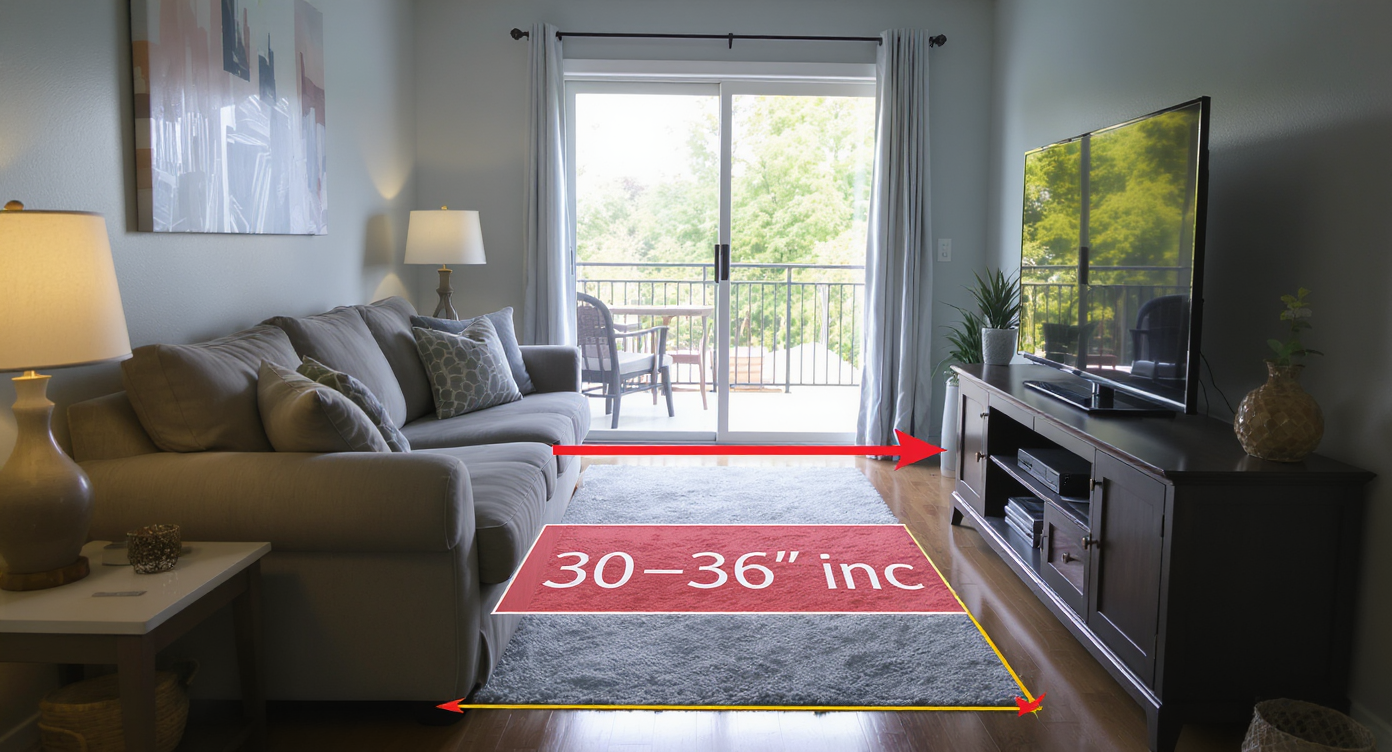
Oversized furniture and low media setups can shrink walkways and disrupt flow in slim living rooms.
The fastest answer: in a long, narrow living room, the sectional is likely deeper than the room can visually support and the media setup is eating precious walkway width. Fix it by protecting 30–36 inches of clear path, right-sizing or raising the TV, slimming the console, and lifting the eye with art, shelving, and plants.
- Layout clarity first: maintain 30–36 inches of clear walking space from door to balcony/slider.
- Media balance: mount the TV or use a console under 12–14 inches deep and raise the screen to eye level.
- Edit seating: remove the extra loveseat; one generous sofa is better than two cramped pieces.
- Rug + color: lighter, low-contrast rug; pull color from the rug into pillows/throws to warm the gray.
- Lighting: diffuse bulbs with shades; add a floor lamp to corners for layered, cozy light.
- Verticals: wall art over the sofa, a tall bookcase/plant to counter big horizontal furniture.
- AI assist: preview changes in minutes with an AI interior design from photo before you lift a finger.
Before you move a single sofa or pick up a paint roller, upload a photo to ReimagineHome.ai and test a few ideas safely.
If your space is long and skinny, you’ll find more layout specifics in a detailed guide to small living room layouts—it covers traffic lanes, sofa depths, and smart media setups.
Why Interior Design Dilemmas Are Usually About Layout, Scale, and One Wrong Piece
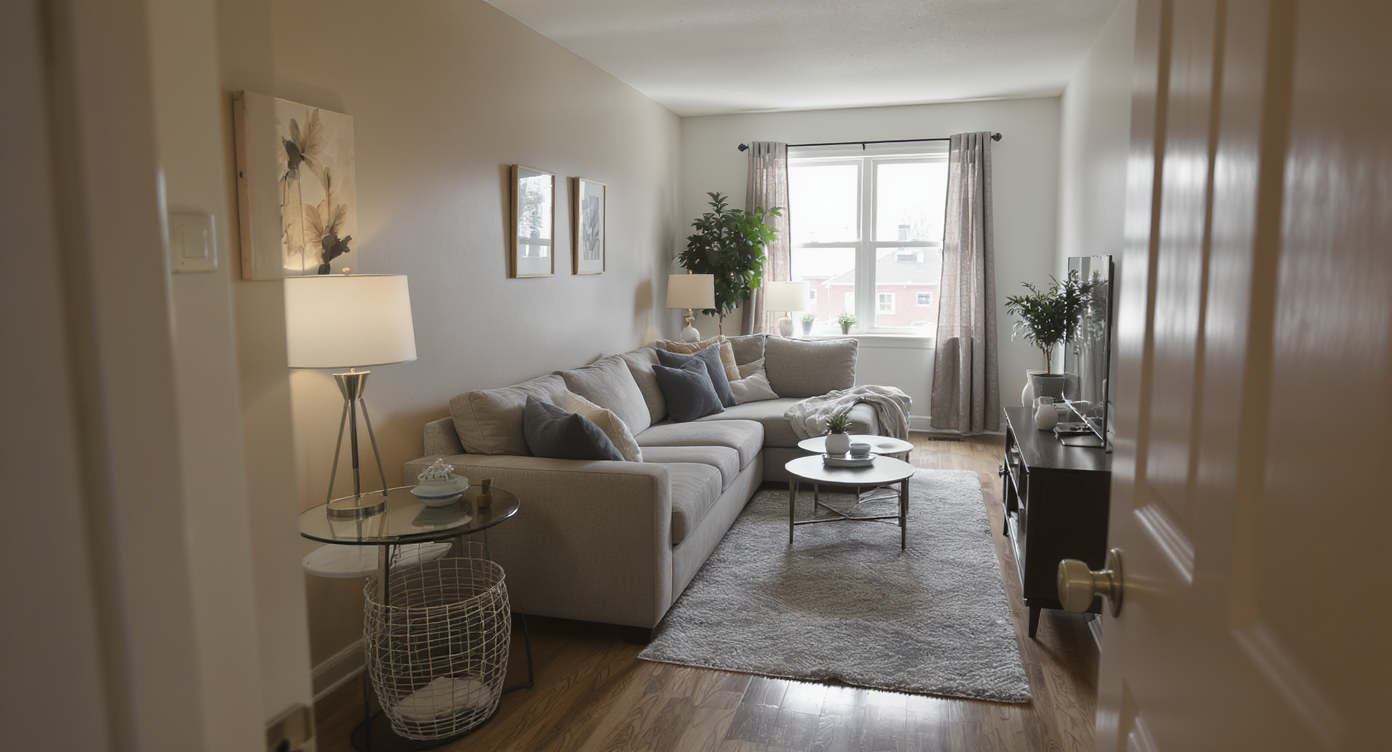
Design dilemmas often stem from layout errors, improper scaling, and one overpowering furniture piece.
Most designers recommend keeping 30–36 inches of clear walking space along the main path; anything less makes a room feel cramped fast. In narrow rooms, one or two outsized pieces—often a deep sectional and a bulky TV stand—steal that lane. You feel it as shoulder-turning squeezes, coffee tables pushed back against cushions, and a TV that suddenly looks comically small.
Scale is the quiet culprit. A chaise that juts into a doorway, a deep console that pinches the passage, a rug that reads as an extension of the sofa—each compresses the room. Add a mostly gray palette and everything sits at the same eye level and tone, so the space flattens.
Good news if you need to keep a convertible sectional for guests: you can rebalance without replacing it. Edit the second seating piece (that awkward little loveseat), choose a slimmer or floating media unit, slide the rug forward to unify the zone, and add vertical elements—tall bookcase, larger art, or curtain panels hung high—to stretch sightlines upward.
If wall-mounting a TV is tricky (false wall, rental), look for a narrow console (12–14 inches deep) or a low-profile floor stand. That single change often returns 6–10 inches to the walkway. For more small-room strategies, see this starter guide to virtual room design for beginners.
Anecdote
That corner where the chaise clips the doorway? You can feel it every time someone turns sideways to pass. Slide the ottoman to the far end and the whole room exhales.
Furniture Rules That Quietly Solve Most Room Problems
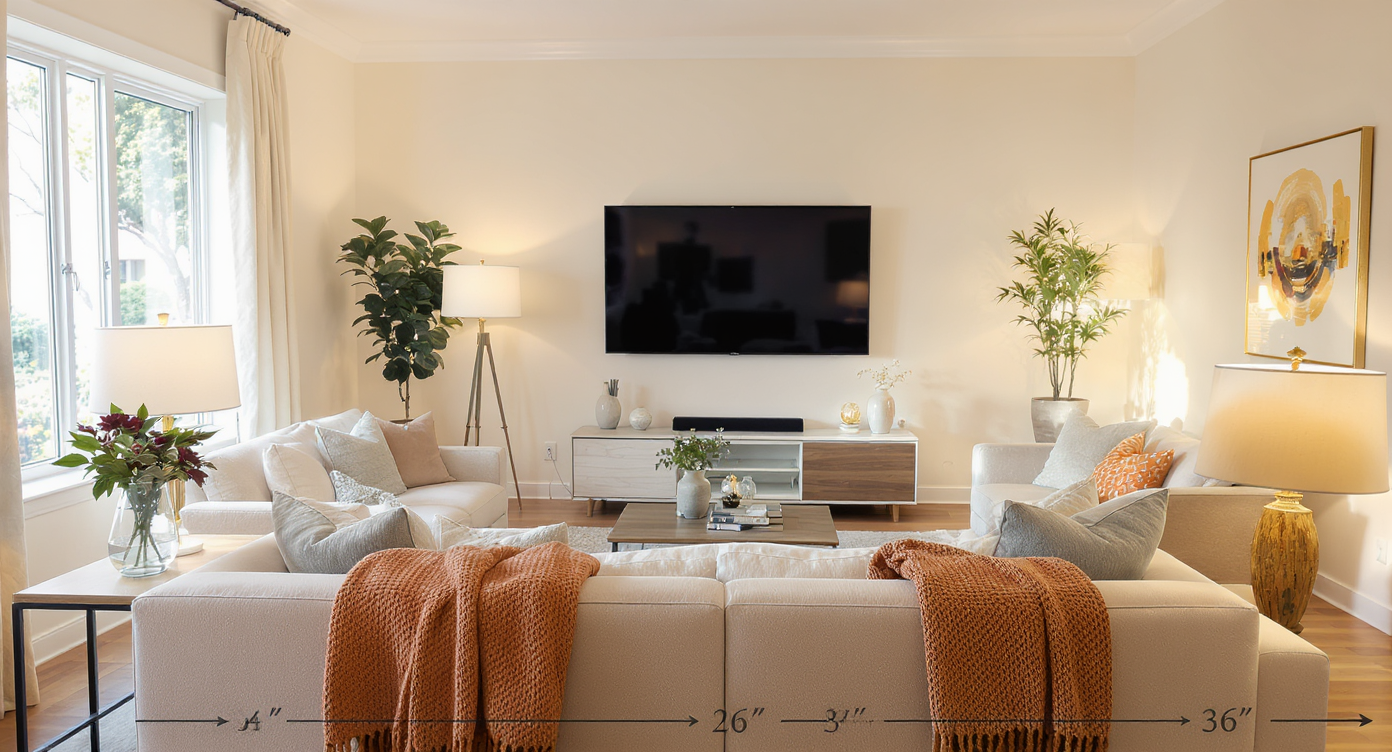
Simple furniture spacing rules quietly solve most room layout problems for better flow and comfort.
Coffee tables sit best 14–18 inches from the sofa’s front edge; tighter than 12 inches or wider than 20 inches creates awkward reaches and traffic snags.
- Walkways: protect 30–36 inches through the room’s main path. If you can’t, reduce furniture depth (media unit, side tables) before shrinking the sofa you rely on.
- Sofa depth: in rooms under ~10 feet wide, target seat depths around 36–38 inches; if yours is deeper, counter with slim pieces elsewhere.
- TV viewing: comfortable distance is roughly 1.5–2.5× the screen diagonal; raise the center of the screen to about eye level when seated (typically 42–48 inches from floor).
- Rug sizing: let the front sofa legs sit on the rug and leave a few inches of bare floor before the media unit; a lighter, low-contrast rug keeps a narrow room from feeling boxed in.
- Side tables: swap chunky end tables for C-tables that tuck over the sofa arm when space is tight.
- Lighting: bare bulbs feel harsh; use fabric shades or diffusers and add one dimmable floor lamp.
Drop these measurements onto a photo of your actual room with a quick AI mockup so you can see spacing before you commit. Reimagine it in minutes using ReimagineHome.ai or skim this breakdown of AI interior design tools to compare options.
How ReimagineHome.ai Helps You Test Layouts, Styles, and DIY Ideas

ReimagineHome.ai empowers testing layouts and styles quickly before lifting a finger in the actual room.
AI tools can show multiple layout and style options in minutes—before you move a single piece or buy anything. That’s the fastest way to fix decision fatigue in a small living room.
With ReimagineHome.ai, upload one photo and run an AI interior design from photo. Ask it to: 1) test a wall-mounted TV vs. a skinny console; 2) lighten the rug and add warm, textured pillows; 3) remove the extra loveseat and replace it with a tall bookcase or plant; 4) try global styles like Scandi, Japandi, or Boho to see which palette flatters your gray sectional.
Because you’re juggling a sleeper sectional you can’t ditch, use the AI room planner to keep the sofa but slim everything around it: a floating shelf under the TV, a narrow console, C-tables, and a floor lamp that tucks behind the chaise. You can also preview paint colors or wallpaper behind the sofa to add depth without darkening the room.
Want a fuller walkthrough of photo-to-room transformations? See this deep-dive on AI room makeovers for step-by-step examples you can copy.
Step-by-Step: Fixing a Long, Narrow Living Room with AI + Simple DIY
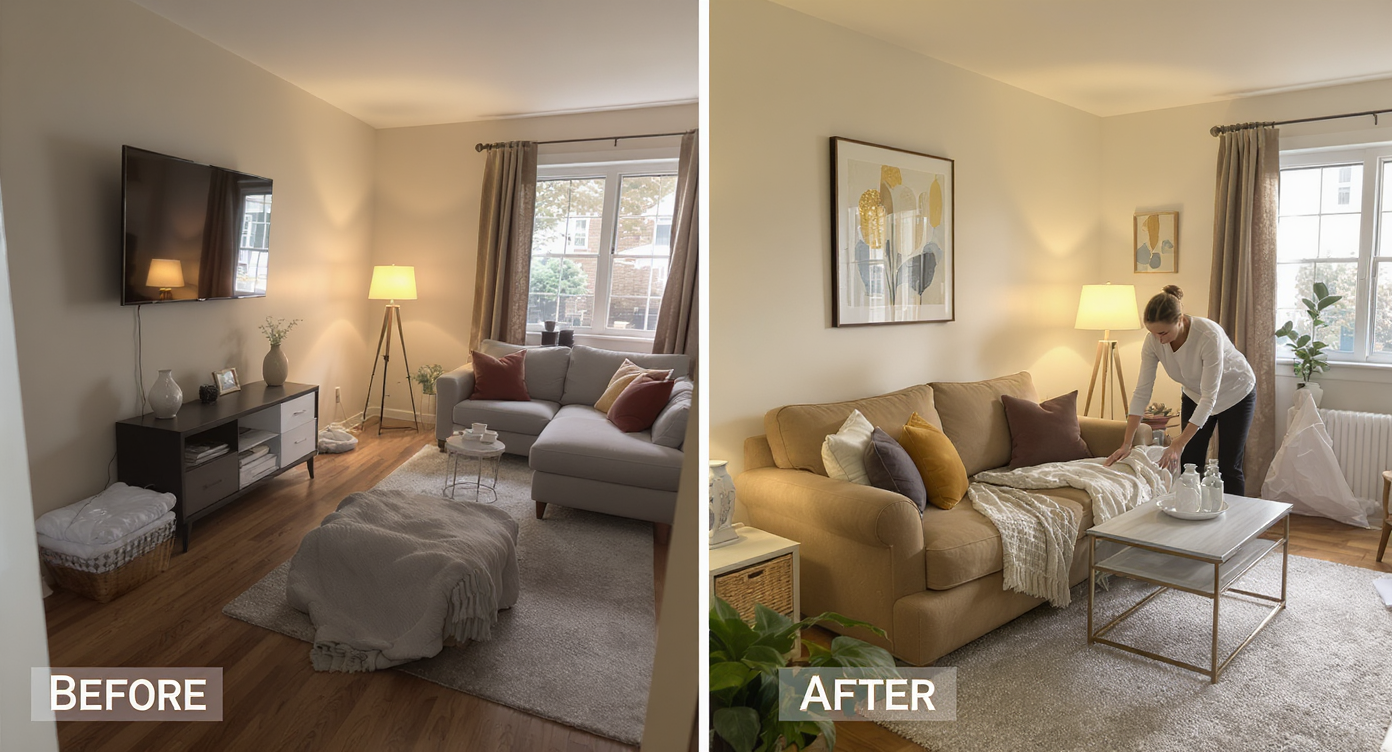
AI-guided DIY steps create a balanced, functional, and inviting narrow living room layout.
TVs look balanced when their center sits ~42–48 inches from the floor; raise yours and the room instantly feels more intentional.
- Photograph your room straight-on and upload it to ReimagineHome.ai. Generate 3 variations: mounted TV, slim console, and console table with floor stand. Compare walkways.
- Protect the path: if the chaise or ottoman is clipping a doorway, move the ottoman to the sofa’s far end or store it under a window when not in use.
- Edit seating: remove the small loveseat; if you still want a reading spot, add one compact armchair (24–28 inches wide) or a tall bookcase + plant instead.
- Right-size media: choose a console under 12–14 inches deep. If mounting is allowed, mount the TV and skip the cabinet entirely.
- Rug shift: pull the rug forward so it sits partly under the media zone and under the sofa’s front legs; aim for a few inches of bare floor between rug edge and console.
- Warm the gray: pull one hue from your rug (terracotta, rust, ochre) into 2–3 pillows and a throw; repeat a wood tone at least twice (lamp, frame, console top).
- Light layers: swap harsh exposed bulbs for shades; add a dimmable floor lamp behind the chaise to bounce light off walls.
- Vertical interest: hang a wide artwork or 2–3 pieces above the sofa at 57 inches to center. Retire the oversized clock.
- Plants help scale: one tall plant (fiddle, rubber, olive, or a faux if light is low) in the empty corner lifts the sightline.
- Final pass in AI: re-upload a quick phone pic after changes and tweak details (coffee table distance, pillow colors) before you shop.
For more small-space tactics, bookmark a detailed guide to small living room layouts.
Visualization Scenario
Upload a straight-on photo, ask ReimagineHome.ai to remove the loveseat, mount the TV, swap the rug to a lighter texture, and add a tall bookcase + plant. Generate three variations, then pick the one with the clearest path and the fewest floor-level pieces.
FAQ
FAQ
How do I fix an awkward long, narrow living room layout without buying new furniture?
Protect 30–36 inches of clear path, remove extra seating, slide the rug forward, and slim the media unit; raise the TV to 42–48 inches center height. Preview options in a room design AI so you can test before moving. See this layout guide for small living rooms.
Which AI interior design tool is best for small apartments?
For quick photo-to-design iterations and layout tests, ReimagineHome.ai is built for small spaces and rental-friendly tweaks. Compare features in this overview of AI interior design tools.
How can I see if a new sofa or rug will fit my room before I buy it?
Use painter’s tape on the floor to mark dimensions, then generate a virtual staging with an AI room planner to view spacing. Keep coffee table 14–18 inches from the sofa and ensure walkways stay 30–36 inches clear.
Can I use AI tools to plan DIY paint or furniture projects?
Yes—upload a photo and test paint colors, wood tones, and even shelf arrangements. DIY paint typically looks best with 2–3 light coats over a good primer, which you can preview virtually first.
What’s the easiest way to mix different furniture styles in one room?
Follow a 70/30 rule (one dominant style, one accent), limit your palette to 3–4 colors, and repeat materials (wood, metal) at least twice. Try variations in a virtual room design before committing.
Visualize Your Room’s Next Chapter
Visualize Your Room’s Next Chapter
The sectional isn’t the villain—it just needs a supporting cast that’s slimmer, taller, and warmer. When you can see a cleaner walkway, a right-sized and higher TV, and a few lived-in layers, that long, narrow room stops fighting you and starts feeling like home.
When you can see the possibilities, it’s easier to move with confidence. Start by uploading one honest photo to ReimagineHome.ai and let your next version of the room come into focus.