
TL;DR
Room Reuse is an AI room planner that takes a photo of your space and previews different layouts, styles, and storage ideas in minutes. It’s the quickest way to test bed rotations, floating shelves for vinyls, warm lamp lighting, and furniture swaps without buying a thing. If you want to ai redesign my room right now, try ReimagineHome.ai’s Room Reuse tool or upload a photo to ReimagineHome.ai and explore options while you read. It’s fast, realistic, and budget-friendly compared to guesswork or returns.
Why This Room Feels Chaotic (And How to See the Fix First)

Before redesign: A cramped bedroom with cold, harsh lighting and visible clutter feels uninviting and small.
Room Reuse is an AI-powered way to redesign your room from a single photo so you can test different layouts, styles, and storage ideas instantly. It matters because small bedrooms—especially with sloped ceilings and exposed beams—often feel cramped until you see a cozier arrangement, warmer lighting, and better shelving in context.
- Results: Preview a bed rotated 90°, a slim dresser, floating shelves for vinyls, and lamp-lit moods that feel cozy.
- Realism: Photo-accurate, style-aware changes that respect your room’s architecture.
- Speed: Generate multiple options in minutes—no shopping, moving, or drilling first.
- Cost: Save by testing virtually instead of buying furniture that doesn’t fit.
- Workflow: Upload photo → choose Room Reuse → pick styles → generate → refine → export.
- ROI: Fewer returns, faster decisions, clearer requests for parents/contractors.
- Peace of mind: Know what works before you commit tools or budget.
If you already have a tricky room photo in mind, upload it to ReimagineHome.ai and test this solution on a real image while you read.
Why This Visual Problem Hurts More Than You Think

Warm, layered lighting transforms a cluttered, harshly lit bedroom into a cozy and inviting space.
Rooms with harsh overheads and visible clutter feel smaller and less inviting than spaces lit by layered lamps and edited storage. That’s the trap: you know the room has potential, but the current arrangement and cold light bury it.
Here’s how the pain shows up:
- Scroll behavior: When you share photos, people react to the mood first. Cold overhead light and scattered items make the space feel unfinished.
- Buyer or guest perception: Overstuffed dressers and shoes on the floor pull attention from the coolest features—like beams or a textured wall.
- Confidence: It’s hard to invest in a rug, shelf system, or new bedside lamps when you can’t picture the result. That stalls progress.
The fix isn’t guessing. It’s seeing—lamp glow under the beams, a low dresser that opens the room, or floating shelves that line up with the architecture. Once the visual story clicks, doing the work gets easy.
Anecdote
That attic bedroom with painted stone and beams looked icy and cramped. We rotated the bed to the lower slope, swapped the heavy dresser for a low credenza, added floating vinyl shelves, and layered warm lamps. The room felt larger, calmer, and finally lived-in.
What Room Reuse Actually Is (In Plain Language)
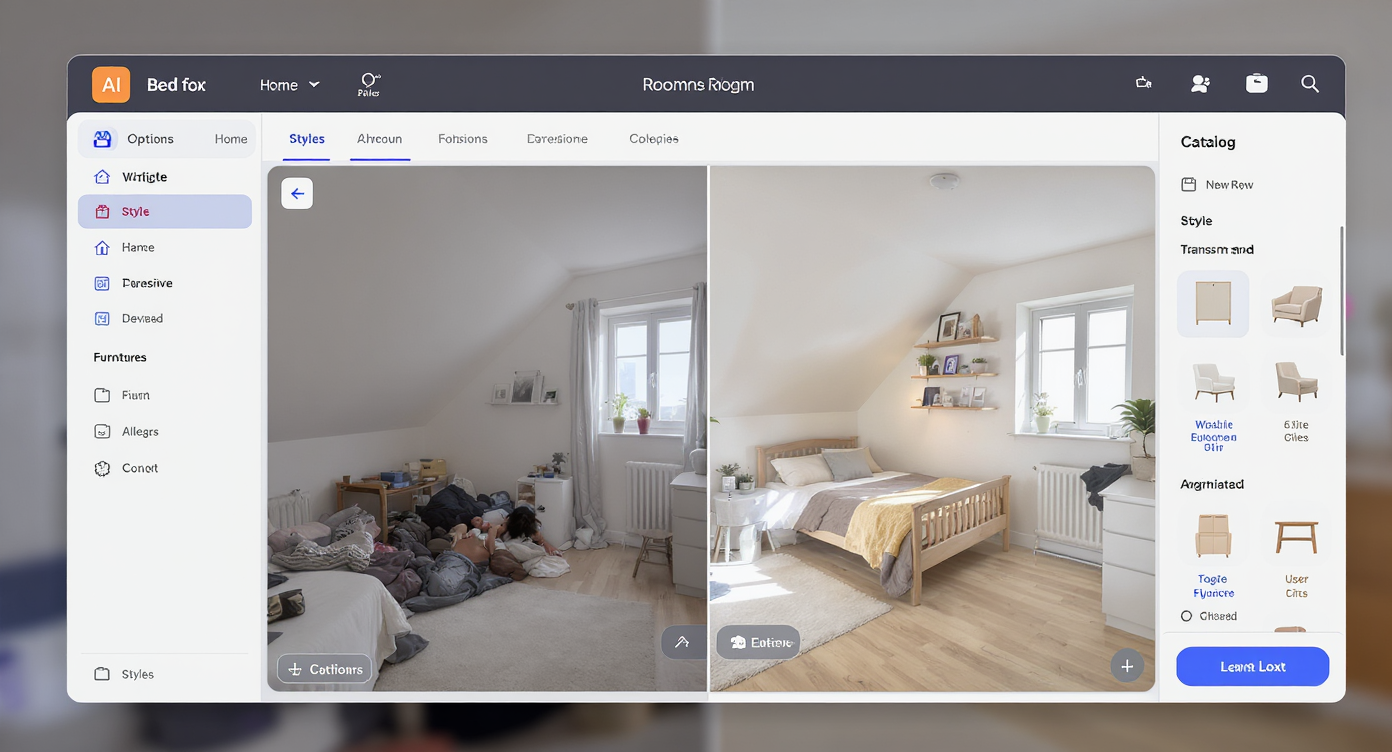
Room Reuse AI tool lets you test new layouts and styles virtually from a single room photo, saving time and cost.
Room Reuse is a photo-to-design tool that lets you rearrange and repurpose a space digitally—think ai room designer meets practical layout coach. You upload a photo, and it generates alternative layouts, styles, and storage ideas tailored to your room’s shapes and constraints.
It works for bedrooms, offices, and mixed-use spaces, and it’s especially useful for sloped ceilings, dormers, or attic rooms where every inch matters. To try it, open ReimagineHome.ai’s Room Reuse tool, drop in a photo of your room, and explore options like bed rotations, desk moves, shelf placements, and warm lighting schemes. If your photo is busy, you can quickly pre-clean it with its clutter and object removal tool so the results focus on architecture, not piles.
How Room Reuse Works Step by Step

Room Reuse workflow: Upload photo, choose styles, generate designs, refine, and export results in minutes.
Good source photos are half the battle—clear, straight-on shots help the AI place furniture and shelves credibly.
- Choose the right photo(s): Stand back, capture the main wall with the bed/desk, and aim for at least ~2000–3000 px on the long edge.
- Upload to ReimagineHome.ai: Start with Room Reuse.
- Select your goals: Try “bedroom cozy,” “vinyl display,” or “study zone.” Think like a brief: rotate bed 90°, add floating shelves, soften lighting.
- Pick a style: From warm modern to rustic cozy. Respect your bones—beams and stone look great with warm woods and textured textiles.
- Generate and compare: Produce 3–6 variations. Note how a lower dresser or under-bed storage frees floor area.
- Refine: Adjust shelf height, lamp style (2100–2700K warmth), or rug size (ideally extends at least two feet beyond the bed).
- Export: Save your favorite plan for shopping, DIY, or parent approvals. If the room is truly empty, also consider ReimagineHome.ai’s virtual staging solution for a full furnished preview.
Tips and Tricks for More Realistic Results

Design for light and flow first, then style for realistic, cozy room redesign results with AI assistance.
Realism improves when you design for light and flow first, then layer style.
- Warm the light: Overhead light reads cold. Add floor and desk lamps with 2100K–2700K bulbs; let shades bounce light off the ceiling or beams.
- Mind the slope: Sloped ceilings feel cozier when the bed tucks under the lower side (not tight, just enough to create a nook). Keep a clear 24–30" walkway.
- Scale down bulky storage: A tall, heavy dresser can dominate. Consider a low, long credenza or under-bed storage so wall space opens for shelves.
- Float your vinyls: Use thin floating shelves or record ledges in a single horizontal line. Align with beam height for visual order.
- Rug rule: If you have carpet but still want a rug, choose a low-pile piece large enough to define the sleep zone (half under the bed is fine).
- Color story: Cozy reads warmer and darker. Think deep taupe or olive on the bed wall, wood accents, and off-white elsewhere. Curious about finish changes? This guide on visualizing white vs. wood finishes with AI shows how to preview big style swings safely.
- Edit first, then add: If your source photo is cluttered, use Remove Anything before generating layouts. You’ll get cleaner, more believable results.
Visualization Scenario
Upload a wide shot of your bed wall, ask Room Reuse to rotate the bed 90°, add a long, low dresser, two floating record ledges above, and a floor lamp near the beams. Generate three styles—warm modern, rustic cozy, and minimalist—and compare which one makes the space feel calmest.
FAQ
Can AI really redesign my room from a photo?
Yes. Room Reuse is an ai room planner that generates realistic layout and style options from a single image, including bed rotations, shelf placements, and lighting moods.
Do I need to declutter before using AI room design?
It helps. You can either tidy first or use ReimagineHome.ai’s Remove Anything tool to clear distractions so the layout reads clean.
Can AI preview warm lighting vs. overheads?
Yes. You can render scenes with floor and desk lamps, softer bulbs (around 2100–2700K), and indirect light for a cozier look.
What resolution do I need for good results?
Use clear, straight-on photos ideally 2000–3000 pixels on the long edge. Blurry or tiny images limit realism.
Is using AI room renderings okay for listings?
It’s common to use virtual images for planning or marketing, but always follow local guidelines and label images as virtually staged or edited when advertising. For listing-ready restyles, try ReimagineHome.ai’s AI virtual staging for real estate.
Visualize Your Next Listing (or Project) Before You Commit
Seeing is deciding. Whether you’re a student refining a tight attic bedroom, a landlord testing a layout, or an agent planning a quick conversion shot, visual rehearsal beats trial and error. Use Room Reuse to audition bed rotations, low storage, record shelves, and warm lighting so the space finally matches the vibe in your head.
Ready to try it on your own photo? Open ReimagineHome.ai’s Room Reuse tool or start from the homepage at ReimagineHome.ai. Confidence comes faster when the picture is already on your screen.