
TL;DR
Furniture Facelift is an AI tool that recolors and restyles items already in your photo — like a sofa or rug — so you can keep your favorite piece and still land on the right wall color. It’s the quickest way to audition dark green vs terracotta vs plum and then bridge the palette with textiles and finishes before you buy paint. Upload a room photo to ReimagineHome.ai and try the color shifts while you read; this approach works especially well for small, awkward living rooms and bright patterned rugs.
Why These Colors Aren’t Playing Nicely (Yet)

Use AI furniture facelift to virtually test color combos and harmonize your room before painting or buying new pieces.
Furniture Facelift is AI that restyles and recolors existing furniture from a photo so your sofa, rug, and wall color stop arguing. It’s powerful because it lets you keep the hero piece — like a floral rug — and harmonize the room digitally before buying paint or replacing anything.
- Results first: Make a bold rug work with dark green, terracotta, or mauve walls by tuning sofa, ottoman, and textiles.
- Realism: Textures stay textured — leather reads like leather, wool like wool — with accurate light and shadow.
- Speed: Test 6–8 palette options in minutes, not weekends.
- Cost: Spend on paint once, not on a new rug you didn’t want to buy.
- Workflow: Upload a photo, select the item, choose a colorway, generate, refine, export.
- ROI: Prevent repaint regret; keep what you love and only change what actually clashes.
- Peace of mind: Decide between sage and terracotta with a clear bridge color on the sofa or chairs.
If you already have a tricky room photo, upload it to ReimagineHome.ai and try this on a real image while you read. For color-heavy rooms, start with ReimagineHome.ai’s Furniture Facelift tool.
Why This Visual Problem Hurts More Than You Think
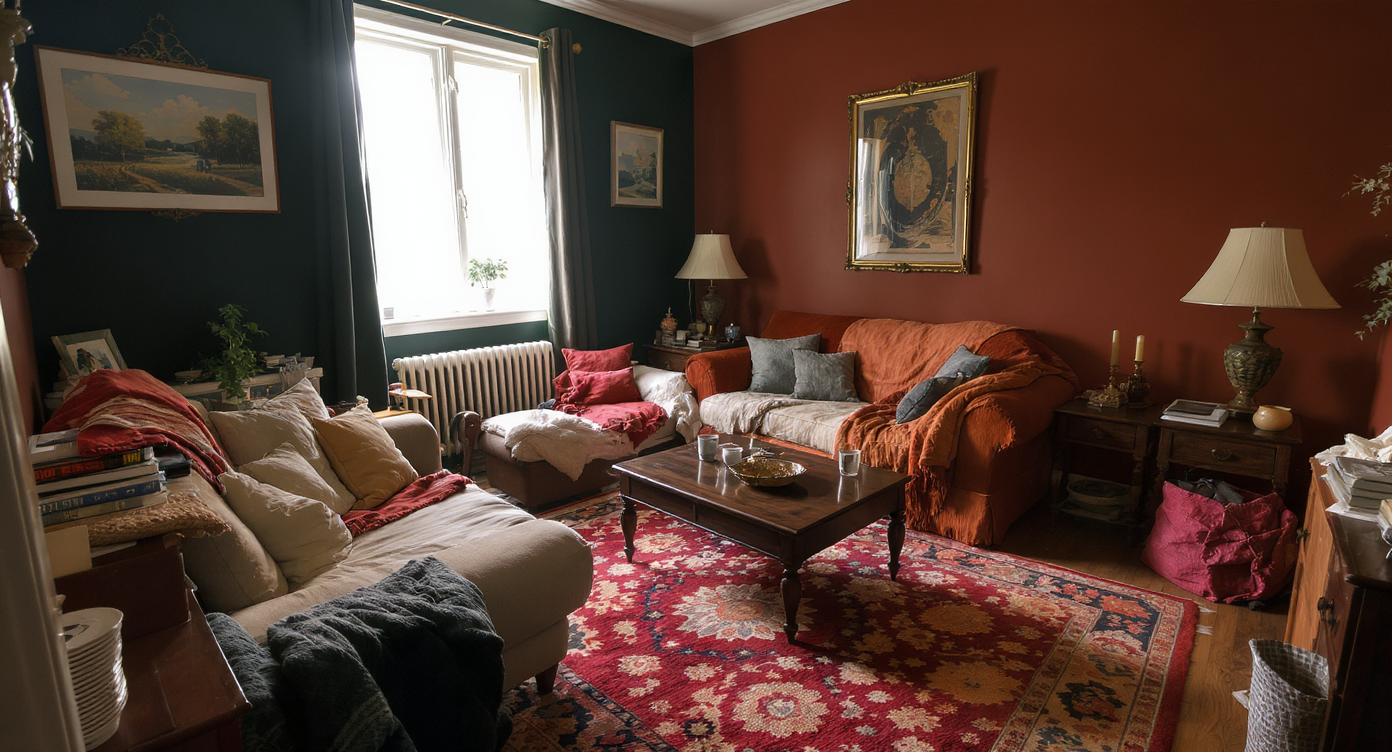
Bold rugs and dark walls can overwhelm a small room unless colors are carefully harmonized.
Bold rugs plus dark walls can make a small room feel busier — unless you introduce one or two “bridge” tones on the largest furniture surfaces. When the sofa and rug don’t relate, your eye ping-pongs between them and the wall, which reads as visual noise.
Here’s how it shows up:
- Scroll behavior: In a quick skim, high-contrast clashes look messy and smaller than they are.
- Perception: A gorgeous floral rug under a beige sofa against terracotta or green walls can feel like three different stories.
- Confidence: You hesitate to paint — or worse, you talk yourself into replacing the rug you loved.
Rule of thumb: keep one saturated star (the rug), choose a moody envelope (walls), and convert large furniture to a bridge tone that touches both — e.g., olive, camel, cocoa, or a muted teal drawn from the rug’s undertone rather than its brightest petal.
Anecdote
That perfect-but-loud floral rug you fell for… and the moody green walls you’re dreaming about. Furniture Facelift is how one sofa color shift turned chaos into cozy — and the rug stayed.
What Furniture Facelift Actually Is (In Plain Language)
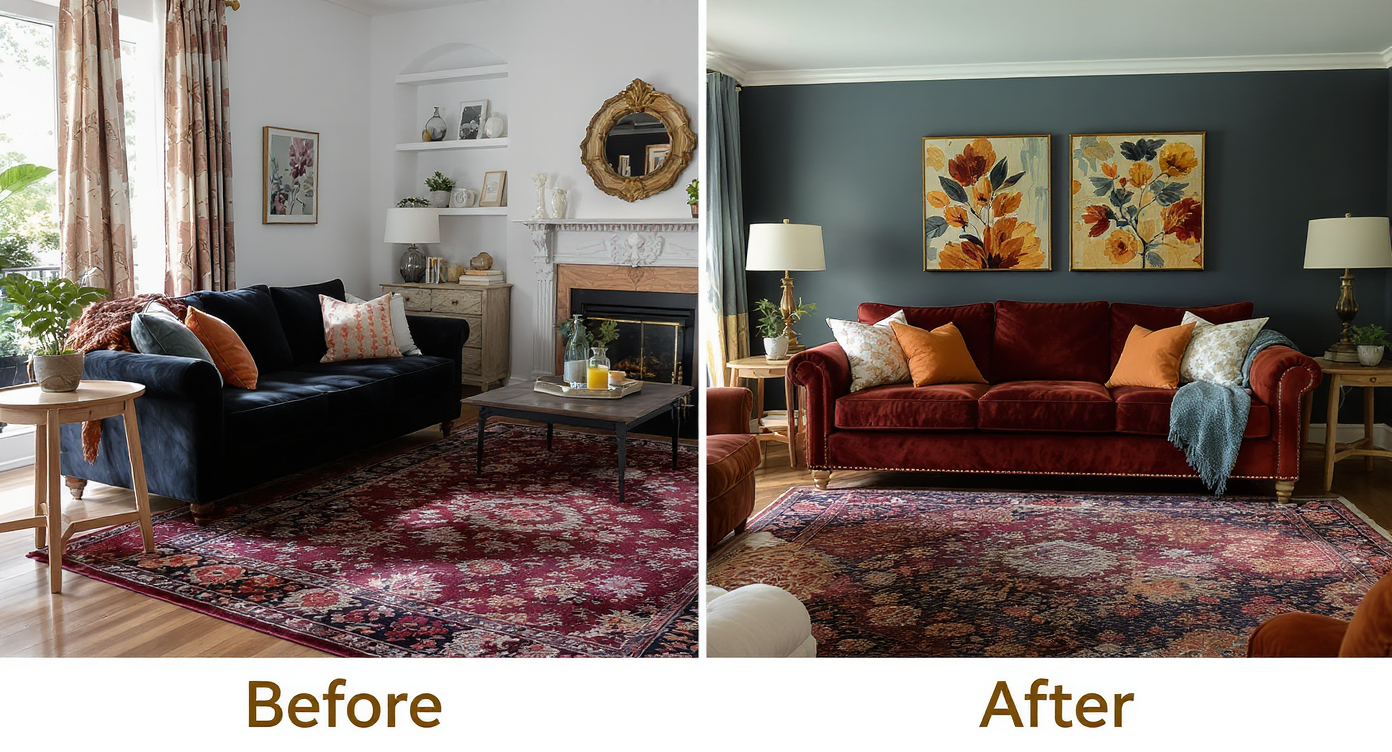
Furniture Facelift digitally recolors existing pieces to create a cohesive, polished room look without replacements.
Furniture Facelift is ReimagineHome.ai’s item-level restyling: you upload a room photo, select a piece (sofa, rug, coffee table finish), and the AI recolors or retextures it while preserving fabric grain, seams, and room lighting. You get multiple variations that slot into your real space — not a generic render — so you can compare terracotta walls with an olive or camel sofa, or dark green walls with a cinnamon-tan ottoman and toned-down rug.
To try it on your space, open ReimagineHome.ai’s Furniture Facelift. It’s designed for fast “what-if” tests that keep the bones of your room while you audition colorways. If your photo is dim or grainy, you can lightly prep it with ReimagineHome.ai’s Image Enhancement or boost clarity with Upscale Resolution before you start.
How Furniture Facelift Works Step by Step
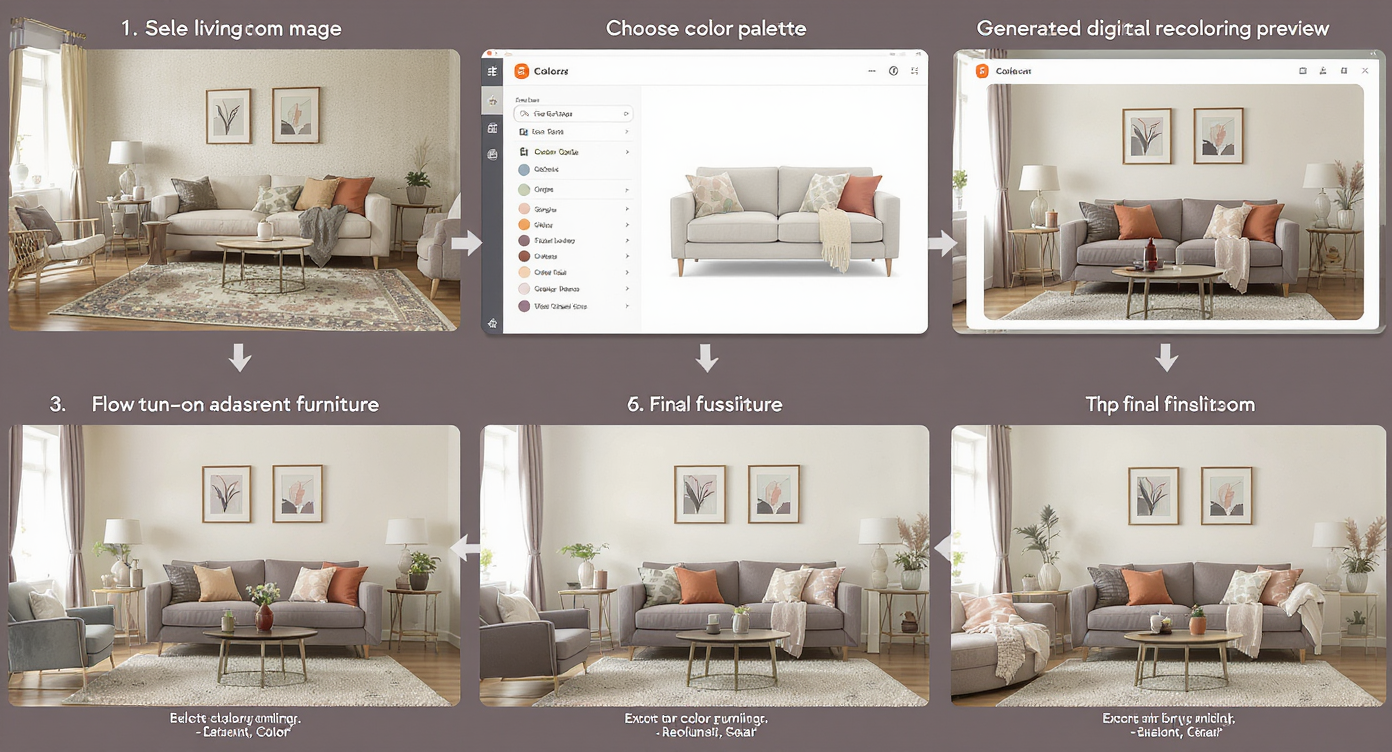
Stepwise digital recoloring turns your room photo into a harmonized design preview, easy and efficient.
Good inputs make great outputs; shoot for a clear, straight-on angle of the piece you want to change.
- 1) Choose the right photo: Natural light, minimal glare, and the item’s edges visible. Aim for 2000–3000px on the long side.
- 2) Upload to ReimagineHome.ai: Drag in your living room photo.
- 3) Select Furniture Facelift: Click the sofa, ottoman, or rug. The tool will outline the item.
- 4) Pick a direction: Try olive, camel, cocoa, muted teal, or charcoal for sofas; soften an ultra-bright rug by toning its background to a slightly grayer version of itself.
- 5) Generate and compare: Create 4–8 variants. Place them side-by-side with your short-list wall paints (dark sage, terracotta, mauve-brown).
- 6) Refine undertones: Warm up camel toward cinnamon for terracotta walls; push olive slightly cooler if your green skews blue.
- 7) Export: Download your winners for a quick share with your partner or painter, then sample paint with confidence.
Constraint to respect: recolor what’s plausible for the piece (don’t turn a tweed sectional into high-gloss vinyl), and keep the wall color decision anchored to undertones already present in the rug.
Tips and Tricks for More Realistic Results
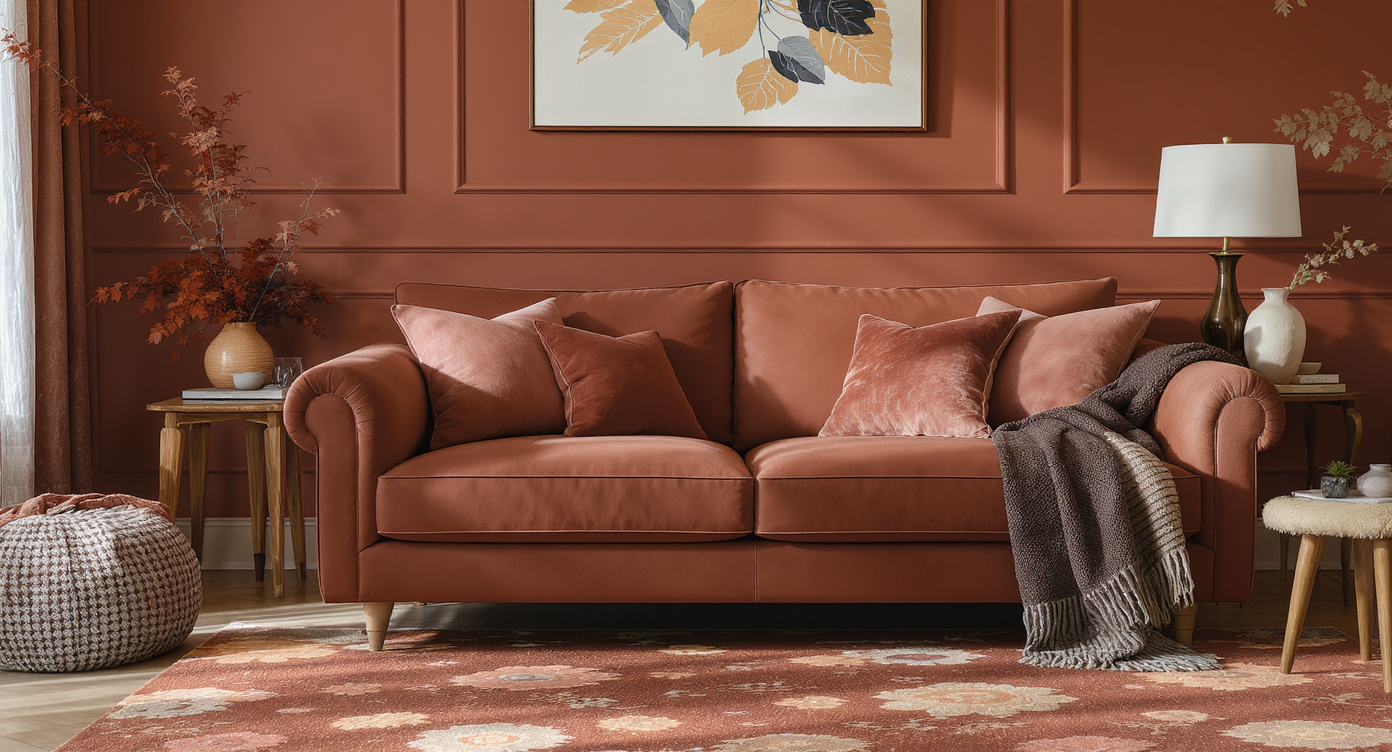
Matching undertones and preserving textures ensure realistic, harmonious results in furniture recoloring.
Realistic edits come from matching undertones and keeping textures believable.
- Match the background green in the rug, not the brightest leaf: If you’re set on dark green walls, aim for an olive/forest that mirrors the rug’s base tone, not a blue-leaning teal.
- Let terracotta do the warming, and bridge with camel or cocoa: If you love the burnt orange vibe, recolor the sofa to a cinnamon-camel that nods to both the rug’s warmth and the wall.
- Use one saturated color per sightline: Rug carries the pattern; walls supply mood; sofa becomes a quiet bridge. Keep pillows textured, not patterned.
- Test a plum/mauve detour: Many floral rugs hide a mauve-brown or eggplant that makes a stunning wall color. Pair with an olive or taupe sofa via Furniture Facelift.
- Tune metals and wood: Shift coffee-table wood a touch darker to ground bright rugs; keep metal warm (brass) with terracotta, aged bronze with deep green.
- Prep the source photo: Lightly brighten shadows and correct color cast using Image Enhancement so fabrics read true.
- Work the nook: In small, oddly shaped living rooms, using the accent color in a nook can balance depth. For layout ideas, see this guide on making small layouts work harder.
Visualization Scenario
Upload your living room, recolor the sofa to olive-camel, test a forest green paint swatch beside the image, then try a camel sofa with terracotta walls. Compare side-by-side and choose calmly.
FAQ
FAQ
Can AI really recolor a sofa or rug realistically?
Yes — Furniture Facelift preserves texture, seams, and lighting while shifting color/finish, so wool still reads wool and leather reads leather. Try it on a single item first for the most believable result via Furniture Facelift.
How do I choose between terracotta and dark green walls with a floral rug?
Pull the wall color from a large, low-contrast tone in the rug (often olive or a warm clay), then recolor the sofa to a bridge tone like camel, cocoa, or olive so the palette feels intentional.
What resolution do I need for good AI edits?
Images around 2000–3000px on the long edge work best. If yours is small or soft, run it through Upscale Resolution first.
Can I preview multiple furniture finishes and textiles at once?
Yes. Generate variations for the sofa, ottoman, and even wood tones, then compare in a grid to see which combination calms the room while keeping your statement rug.
Is this okay for real estate marketing?
Use AI edits to explore concepts or for clearly disclosed marketing comps. For listing photos, keep edits plausible and align with local guidelines.
Visualize Your Next Listing (or Project) Before You Commit
Where Furniture Facelift Totally Changes the Game
One homeowner loved a floral rug but wanted dark sage walls; the beige sofa felt wrong. They recolored the sofa to olive-camel, tested a forest green paint, and kept the rug — the room read calmer, not smaller.
Another family fell for terracotta walls but worried it would compete with the rug. By shifting the ottoman to cocoa and the sofa to a warm camel, the rug felt curated, not chaotic; they bought paint once.
In a narrow living room with a cozy alcove, the owners tried mauve-brown walls pulled from a small petal shade in the rug. With the sofa recolored to olive and wood tones slightly deepened, the space felt designed on purpose — not forced.
Common Mistakes with Furniture Facelift (and Easy Fixes)
Most disappointment comes from mismatched undertones or tiny, blurry photos — not the AI itself.
- Too-blue “green” against olive rugs: Fix by choosing an earthier forest or muting teal toward gray.
- Recoloring beyond the fabric’s logic: Keep wool looking like wool; avoid plastic-like gloss on matte upholstery.
- Ignoring the bridge color: If walls and rug are both loud, the sofa must be quiet and related.
- Low-res inputs: Upscale first with Upscale Resolution so seams and weave hold detail.
- Changing everything at once: Edit one large item first (sofa), then a small one (ottoman/pillows). Reassess before touching the rug.
Who Gets the Most Value from This Tool
Anyone trying to keep what they love while updating mood and color.
- Homeowners and renters: Redesign my room with AI without buying new furniture; decide paint with confidence.
- Agents and teams: Quick “after” concepts that make occupied listings feel cohesive without misleading the buyer.
- Photographers/media: Offer an upsell micro-edit that aligns palettes for hero images.
- Investors/flippers: Test staging palettes digitally before purchasing inventory.
- Designers/stagers: Fast ideation from a single photo; align client on direction in minutes.
Visualize Your Next Listing (or Project) Before You Commit
Good rooms are stories with one clear lead and a couple of strong supporting characters. Furniture Facelift lets you rehearse that story — keep the lead (your rug), set the mood (the walls), and cast the sofa as the bridge. Try a few colorways, sleep on it, then paint once and enjoy the room every day.
Start now with ReimagineHome.ai’s Furniture Facelift, or upload a photo on the home page to explore ideas in real time.