
TL;DR
AI kitchen design from a photo lets you preview dark vs. light cabinets, wood tones, backsplash, and lighting on your real kitchen before committing. With ReimagineHome.ai, upload one image and generate multiple Interior Renovation options you can compare side by side, fast and affordably. If you’re torn between aesthetics, this is the simplest way to make an informed, low-risk choice. Try it now on ReimagineHome.ai and make an AI-powered, confidence-building decision.
The Real Cost of Choosing a Kitchen by Guesswork
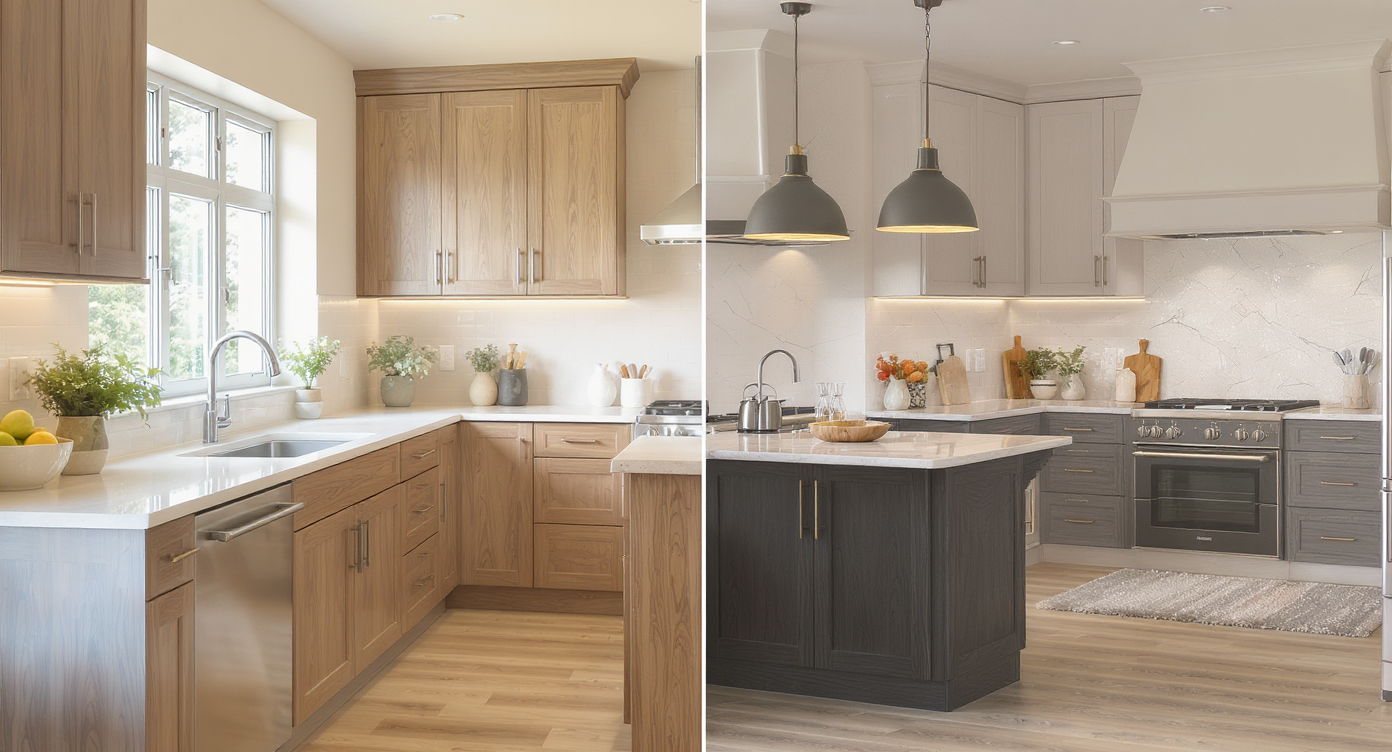
Visualize multiple kitchen styles on your real space for confident design decisions.
AI interior design from a photo is a way to test kitchen finishes, layouts, and lighting on top of your real room image so you can choose confidently. It’s powerful because you see dark vs. light, wood vs. stone, and open shelves vs. cabinets in context, not in your head.
- Results: Compare multiple kitchen concepts on your exact space — dark and moody, bright and airy, or a balanced mix.
- Realism: Materials, lighting temperature, and cabinet styles are rendered to feel true-to-life in your room.
- Speed: Generate variations in minutes, not weeks.
- Cost: A fraction of redesigning twice or ordering the wrong materials.
- Workflow: Upload a photo, select Interior Renovation, pick styles, and iterate.
- ROI: Avoid “paint regret,” mismatched finishes, and lighting mistakes that are expensive to undo.
- Peace of mind: You and your partner can align on one clear, tested direction.
If you already have a kitchen photo, upload it to ReimagineHome.ai and try Interior Renovation while you read.
Why This Visual Problem Hurts More Than You Think
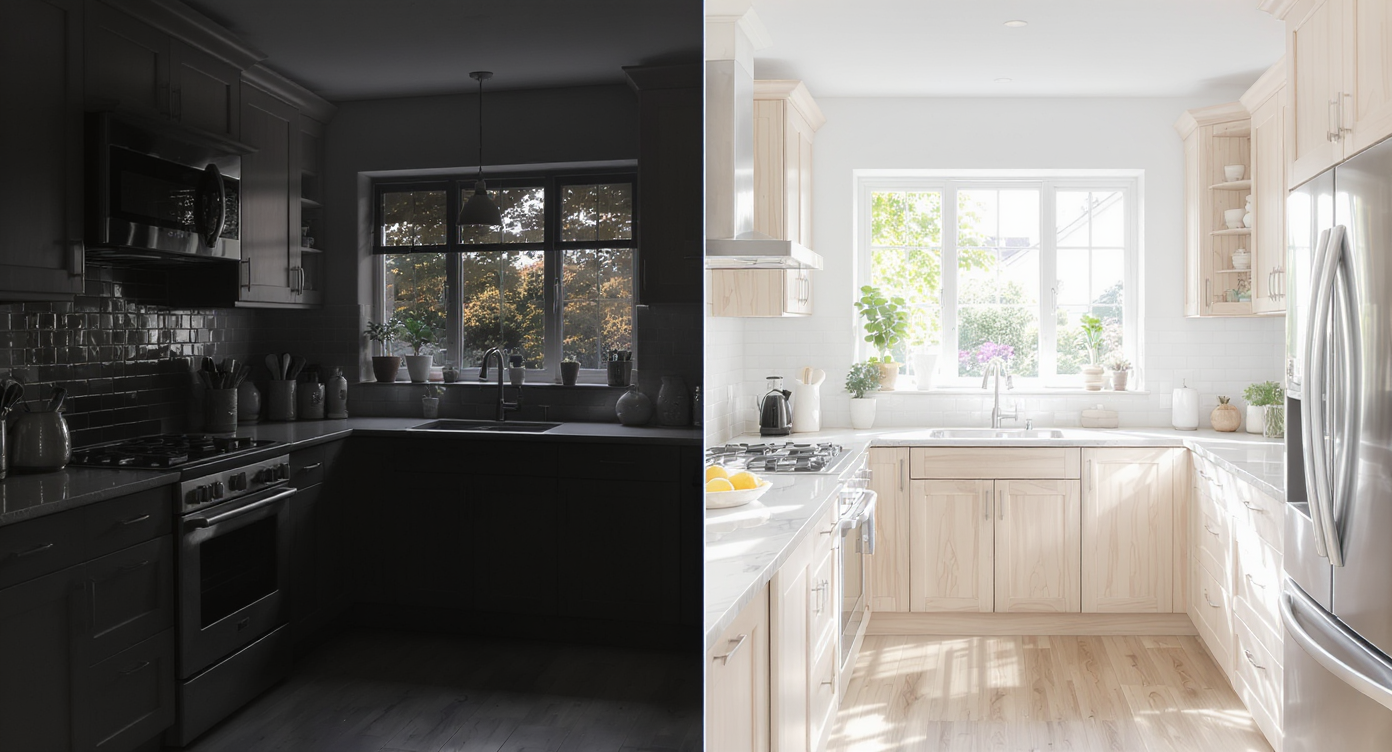
Lighting and finishes dramatically influence how large and functional your kitchen feels.
Finish and lighting choices can change how large, clean, and functional a kitchen feels day to day. A dark cabinet system without the right light can read smaller and moodier; an all-white scheme can feel sterile on screen and be unforgiving in real life. That gap between imagination and reality is where most regrets (and re-orders) happen.
Here’s how that plays out:
- Perception: Dark-on-dark with warm bulbs looks cozy at night, but in bright daylight the same room can feel flatter or more reflective than expected. White-on-white photographs clean, but can read “clinical” if there’s no wood, texture, or varied lighting.
- Function: Task lighting matters more than we think. Without undercabinet strips or diffused pendants, both dark and light schemes can be frustrating to cook in.
- Maintenance: Matte black highlights hard-water and fingerprints at edges; bright whites can yellow and reveal crumbs. Seeing these finishes at scale helps you choose the right sheen and undertone.
- Decision friction: Partners often prefer opposite extremes. Visualizing a mixed scheme (e.g., walnut lowers with soft white uppers) can end stalemates in minutes.
Anecdote
That “too dark” vs. “too sterile” kitchen argument? Most couples land on a layered mix after seeing both extremes rendered on their actual photo — think walnut lowers, soft-white uppers, stone counters, and warm, diffused pendants.
What Interior Renovation (AI Kitchen Design) Actually Is
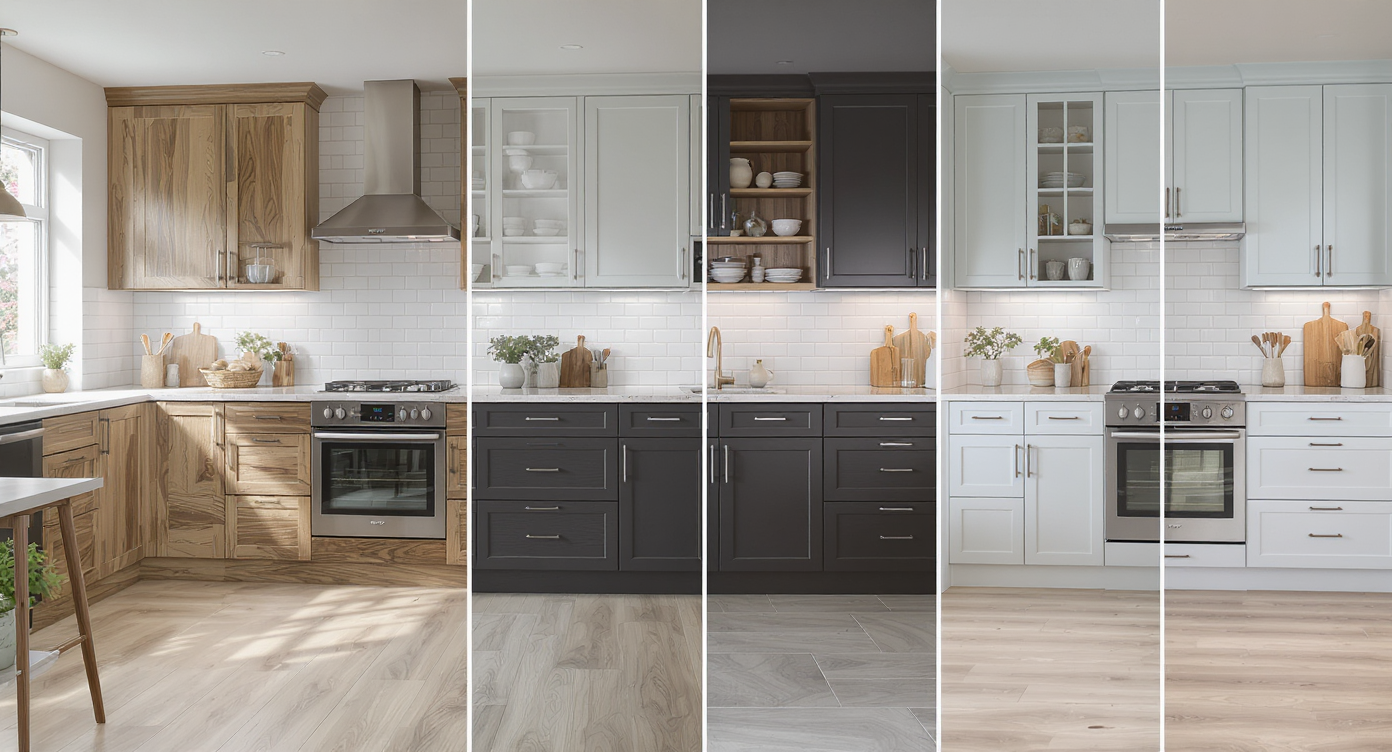
Use AI-generated variations on your kitchen photo to explore design possibilities and workflows.
AI interior renovation is a design workflow where you upload a kitchen photo and generate realistic, editable variations — cabinet colors and styles, counters, backsplash, flooring, shelves vs. cabinets, and even lighting mood. You keep your room’s architecture while exploring multiple looks.
Within ReimagineHome.ai, ReimagineHome.ai’s Interior Renovation tool lets you test dark, light, and mixed palettes on your actual space and export favorites for contractor estimates or partner feedback. Inputs are simple (a clear photo), and outputs are high-resolution images ready to compare side by side.
If color is your main question, you can also run quick paint explorations with its Repaint Wall tool to lock undertones before committing to cabinetry or backsplash.
How ReimagineHome.ai Interior Renovation Works Step by Step

Step through your kitchen design easily with AI-assisted interface and real-time previews.
- Choose the right photo: Use a wide, level shot that shows cabinets, counters, and the main run of appliances. Aim for at least 2000–3000 px on the long edge for crisp results.
- Upload to ReimagineHome.ai: Open the project and select Interior Renovation.
- Pick a starting direction: Try three anchors — Dark + warm wood, Light + texture, and Mixed (e.g., walnut/white, or deep green lowers with linen-white uppers).
- Adjust lighting: Toggle between daylight-balanced and warm ambient to judge usability. Diffused pendants and undercabinet strips often make or break dark kitchens.
- Test materials: Swap butcher block for stone-look quartz if maintenance is a concern. Try paneled appliances vs. stainless, or shelves vs. cabinets where grease might travel.
- Iterate and compare: Generate several boards and pin your top two. Small shifts — anthracite instead of true black, off-white vs. stark white — matter.
- Export: Save print-ready images for your contractor or design board. If you need extra clarity, finish with ReimagineHome.ai’s Upscale Resolution for large-format prints.
Pro tip: For the cleanest composites, straighten leaning shots before editing and consider mild color correction with its Image Enhancement tool so your baseline light is neutral.
Tips and Tricks for More Realistic AI Kitchen Results

Optimize materials and lighting choices for more believable AI kitchen visualizations.
Realistic AI kitchen design starts with plausible materials and lighting for your architecture and region.
- Balance contrast: If you love moody cabinets, counteract with lighter counters, backsplash, or wall paint — and add undercabinet lighting on dimmers.
- Shift the black: Anthracite or deep green often feels richer and hides fingerprints better than absolute black.
- Warm the white: Soft white (with a hint of cream or gray) beats stark lab-white. Texture — beadboard, veined stone, or wood accents — adds depth.
- Mind maintenance zones: Around sinks and ranges, open shelves collect grease. Test a cabinet run there and keep shelves to the least splash-prone wall.
- Pick sheen with purpose: Matte is chic but can show smudges; satin or semi-matte is a forgiving middle ground for both dark and light schemes.
- Light layering wins: Combine cans with diffused pendants and toe-kick or undercabinet strips. In renderings, preview both daylight and evening scenes.
- Coordinate undertones: Sample floors in the render. Warm oak floors like warm whites; cool tiles prefer cooler whites or charcoals.
For quick color trials before cabinet orders, see this short guide on tone decisions in style swaps and repaint choices.
Visualization Scenario
Upload a wide shot of your current kitchen, generate three versions — Dark + wood, Light + texture, Mixed — then compare them under daylight-balanced and warm evening lighting. Choose the direction that still looks great at 7 a.m. and 7 p.m.
FAQ: AI Kitchen Design from a Photo
What is AI kitchen design from a photo, and how accurate is it?
It’s an Interior Renovation workflow that applies new finishes and lighting to your real kitchen photo. Accuracy is strong for visual direction (color, mood, materials) and decision-making, though final build details still follow manufacturer specs and contractor measurements.
Can it show dark vs. white cabinets, mixed wood tones, and different backsplashes?
Yes. You can generate dark, light, and blended schemes — from anthracite lowers with walnut accents to soft-white uppers with stone-look backsplashes — then compare them side by side.
Will it help me choose pendants and undercabinet lighting?
You can preview lighting temperature and fixture styles to judge mood and task visibility. Layering diffused pendants with undercabinet strips is usually the most functional outcome.
Can I switch open shelves to cabinets (or vice versa) in the render?
In many cases, yes. Test a cabinet run near the range for easier cleaning and keep shelves for decorative zones.
What resolution do I need for good results?
Use clear, level photos at 2000–3000 px on the long edge for crisp, printable images. For larger boards or prints, finish with Upscale Resolution.
Visualize Your Next Kitchen Before You Commit
Design decisions feel risky until you can see them on your own walls and counters. With AI kitchen design from a photo, you’re not gambling on samples or trying to imagine how pendants, paint, and stone will play together — you’re rehearsing the finished story of your space and choosing the version you’ll love living in.
Load your kitchen image, try both dark and light concepts, and settle on a balanced mix that fits your light, lifestyle, and maintenance needs. Then move ahead with clarity. Start now with ReimagineHome.ai’s Interior Renovation or explore more tools on the ReimagineHome.ai home page.