.svg)

.svg)
.svg)
TL;DR
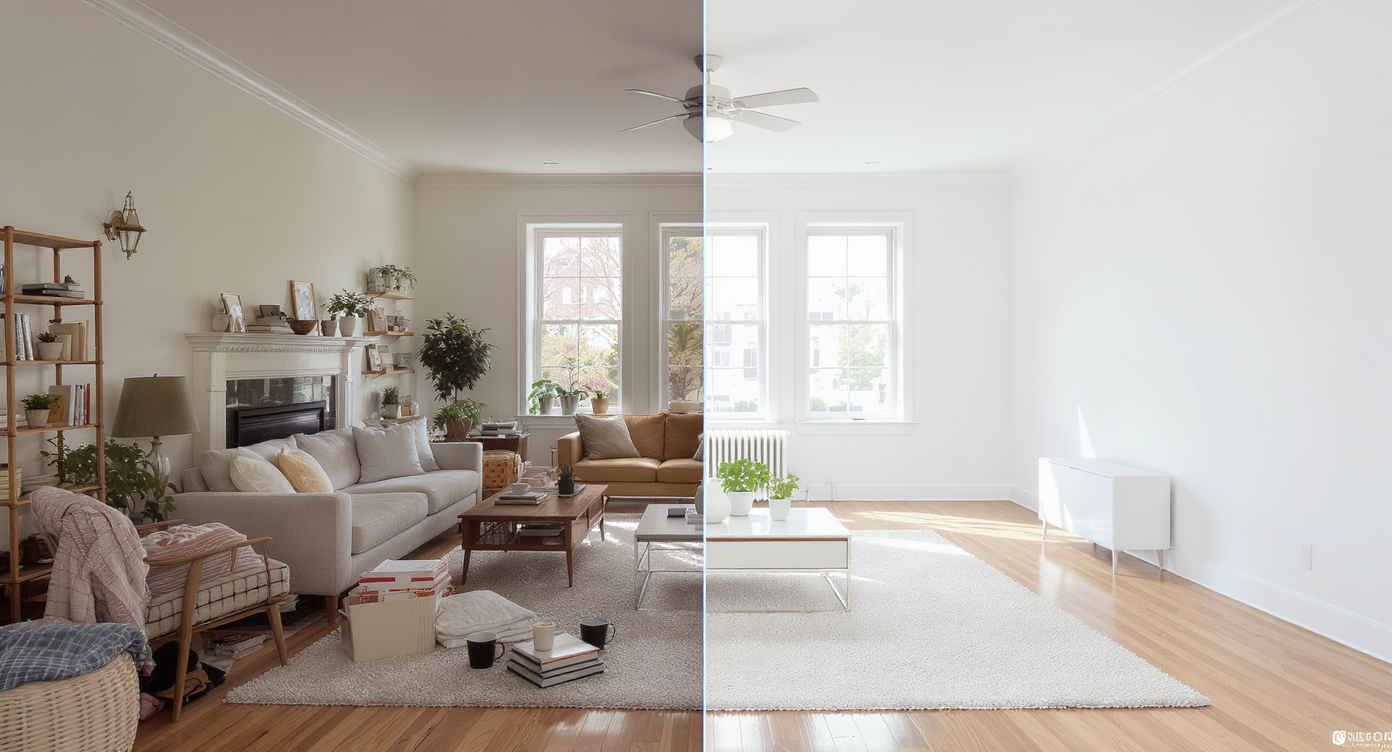
ReimagineHome.ai’s Occupied to Vacant tool removes clutter and furniture from a room photo to create a blank-canvas view you can think clearly with. It’s a fast, realistic way to plan storage, test layouts, and reduce overwhelm — especially if mess triggers sensory stress. If you’re wondering how to remove clutter and objects from room photos with AI, upload a picture to ReimagineHome.ai and try it as you read.
The Real Cost of Showing Rooms “As They Are” Online
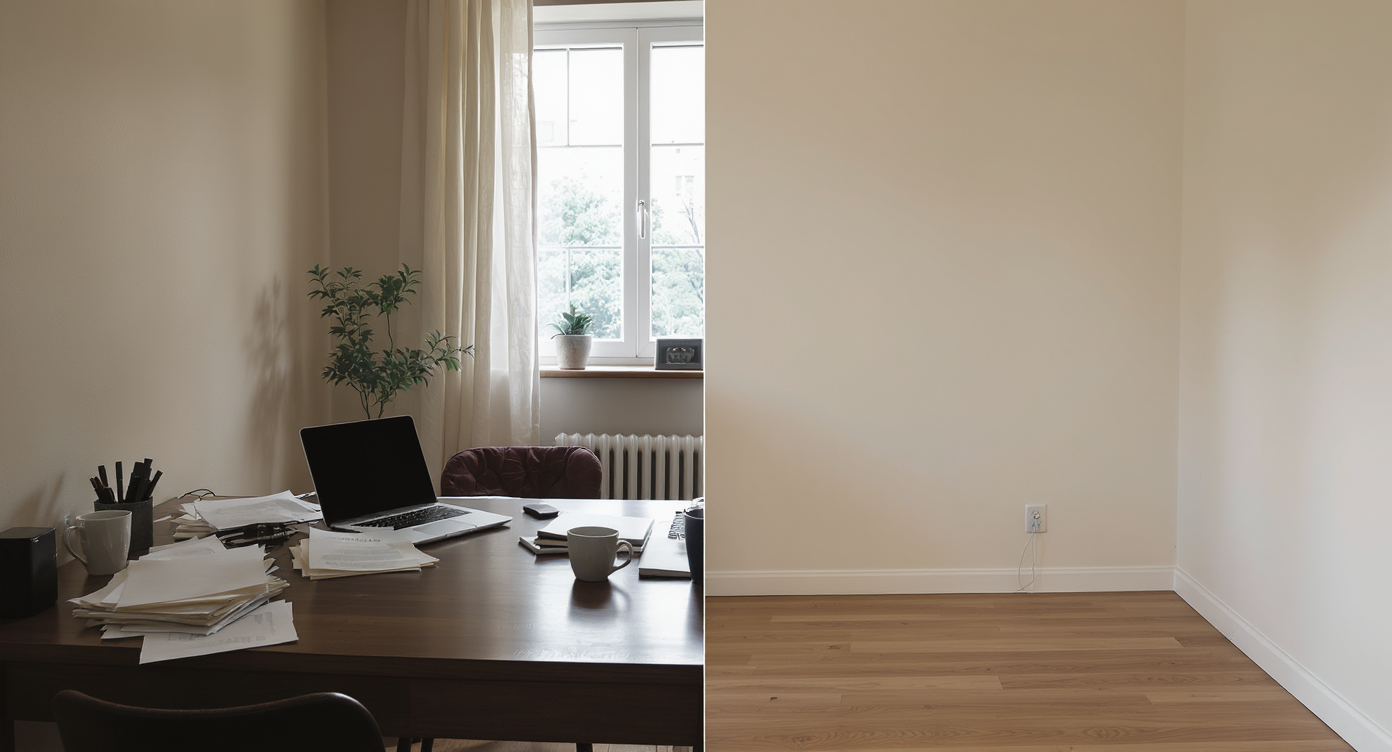
Occupied-to-vacant AI reveals a blank canvas, helping envision a peaceful, organized workspace.
Occupied-to-vacant (Empty Your Space) is AI that clears visible clutter and furniture from a single room photo, giving you an instant, blank-canvas image. It matters because even simple clutter removal makes key features easier to see and helps you plan a calmer, more functional layout without lifting a box.
- Results: Clear a messy bedroom, home office, or living room photo and see the architecture again — walls, windows, floors — without the noise.
- Realism: Surfaces, light, and shadows stay believable so the room still looks like your room.
- Speed: Most transformations complete in minutes; try multiple variations in one sitting.
- Cost: Far cheaper than hiring labor just to “see if” a layout might work.
- Workflow: Screenshot your current state, generate a vacant view, then plan storage, style, or a room makeover with less guesswork.
- ROI: For listings, decluttered images tend to earn more clicks and longer on-photo dwell time; for living, they reduce decision fatigue.
- Peace of mind: A blank-canvas view can quiet sensory overload and make next steps feel small and achievable.
If you already have a tricky room photo in your camera roll, upload it to ReimagineHome.ai and test Empty Your Space on a real image while you read.
Why This Visual Problem Hurts More Than You Think
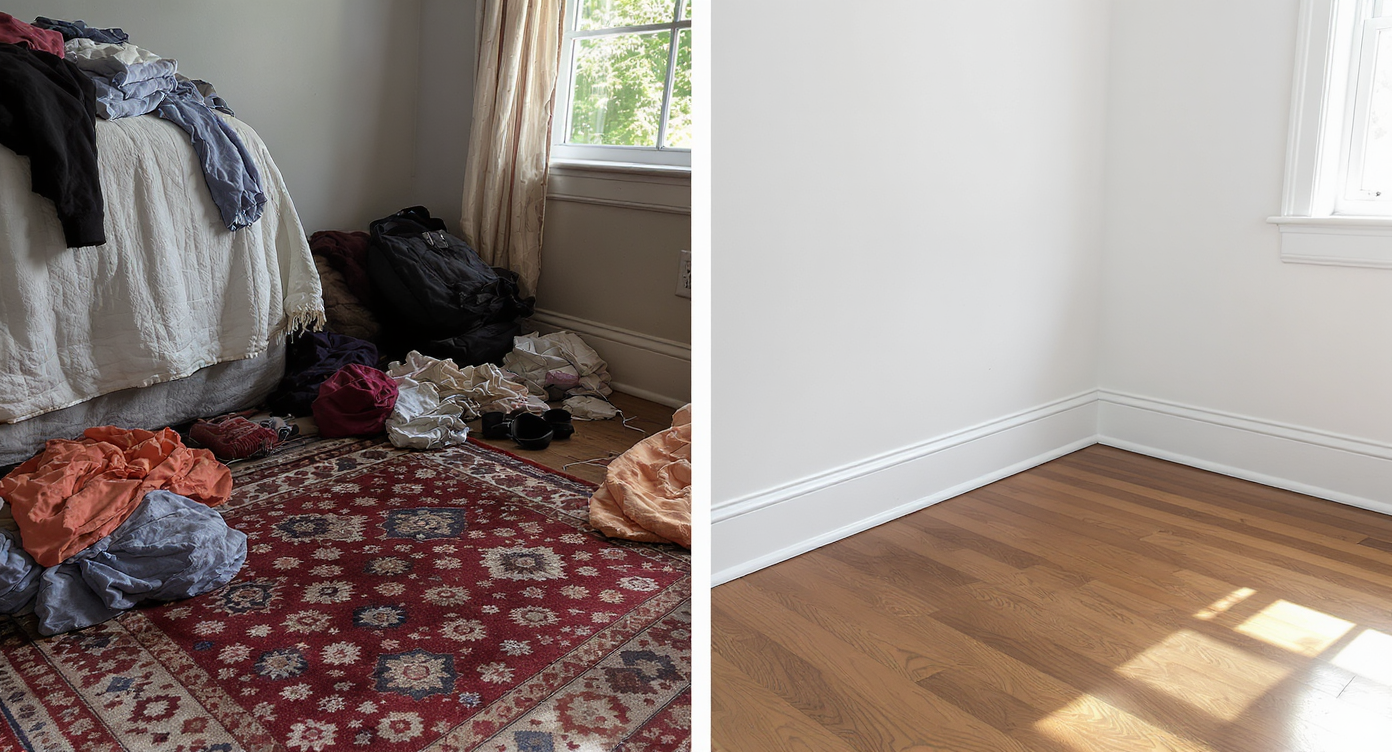
Clutter hides key room features; removing it reveals the true space and light for better planning.
Even simple clutter removal can make flooring, windows, and built-ins easier to spot at a glance. On phones, busy rooms look smaller and more chaotic, which leads to quick swipes past the photo — or in everyday life, quick avoidance of the task. Agents often report that calmer images earn more clicks; homeowners say a tidy visual plan reduces stress and makes cleaning feel finite instead of endless.
Think about a “doom chair” piled with clothes, takeaway cups on the nightstand, or a home office overtaken by cables. Your brain sees hundreds of micro-decisions. A vacant view compresses that complexity. You’re no longer deciding “what to do with every item” — you’re deciding where the dresser belongs, whether hooks beat a wardrobe, and which two bins solve 80% of the mess. That shift from item-level to system-level decisions is what gets people unstuck.
Anecdote
That clothes-chair that becomes a weekly mountain, the nightstand with cups and cords, the “doom basket” by the door — turning that exact photo into a clean, empty room makes the next storage decision obvious.
What Occupied to Vacant (Empty Your Space) Actually Is
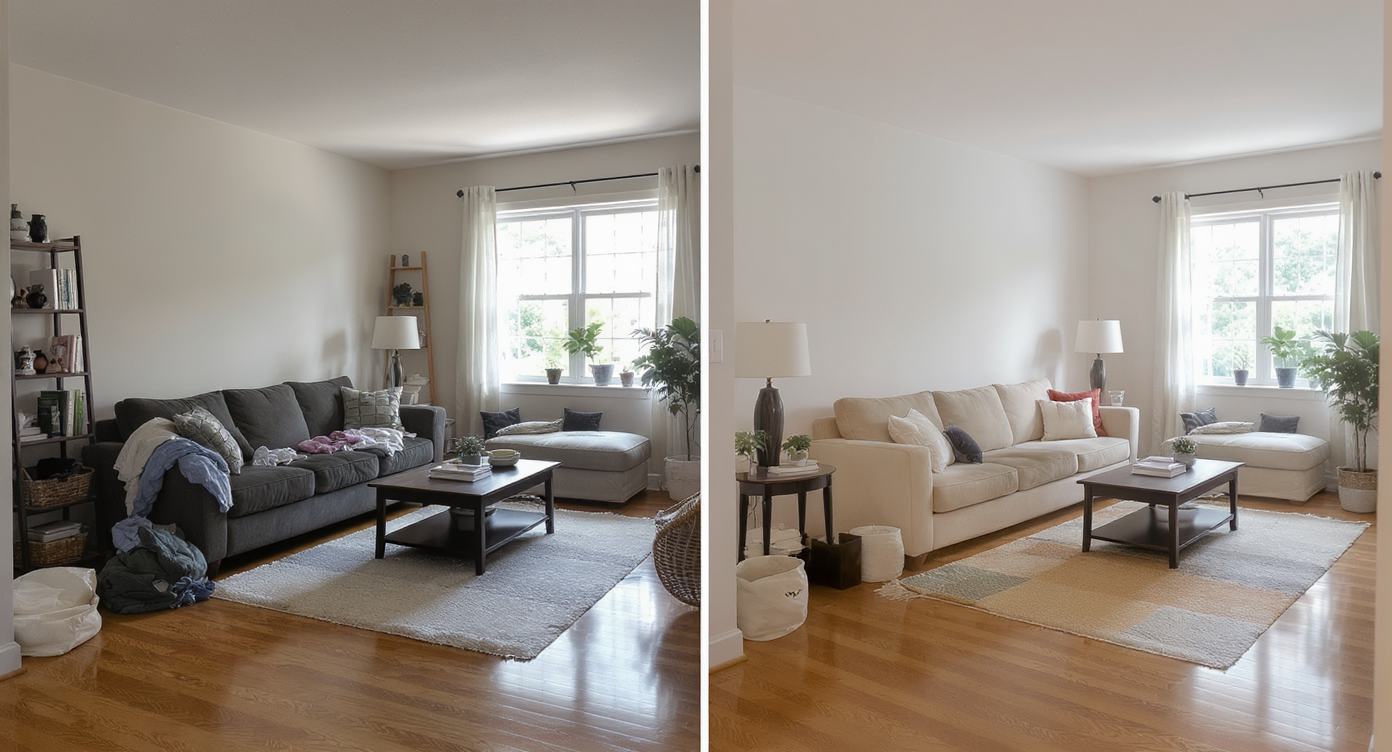
Occupied to Vacant digitally declutters photos, preserving realistic lighting to visualize empty, usable space.
Occupied to Vacant is an AI decluttering tool that turns an occupied room photo into a clean, empty version for planning, staging, or marketing. You provide one or more photos (bedroom, living room, office), and the output is a realistic, high-resolution image with furniture and small objects removed so you can see a blank canvas.
Use it to calm a visually noisy space, test room design ideas with AI, or prepare a listing image set that highlights the room’s true size and light. To try a guided experience, open ReimagineHome.ai’s Occupied to Vacant Empty Your Space tool and start with your most overwhelming angle.
How Occupied to Vacant Works Step by Step
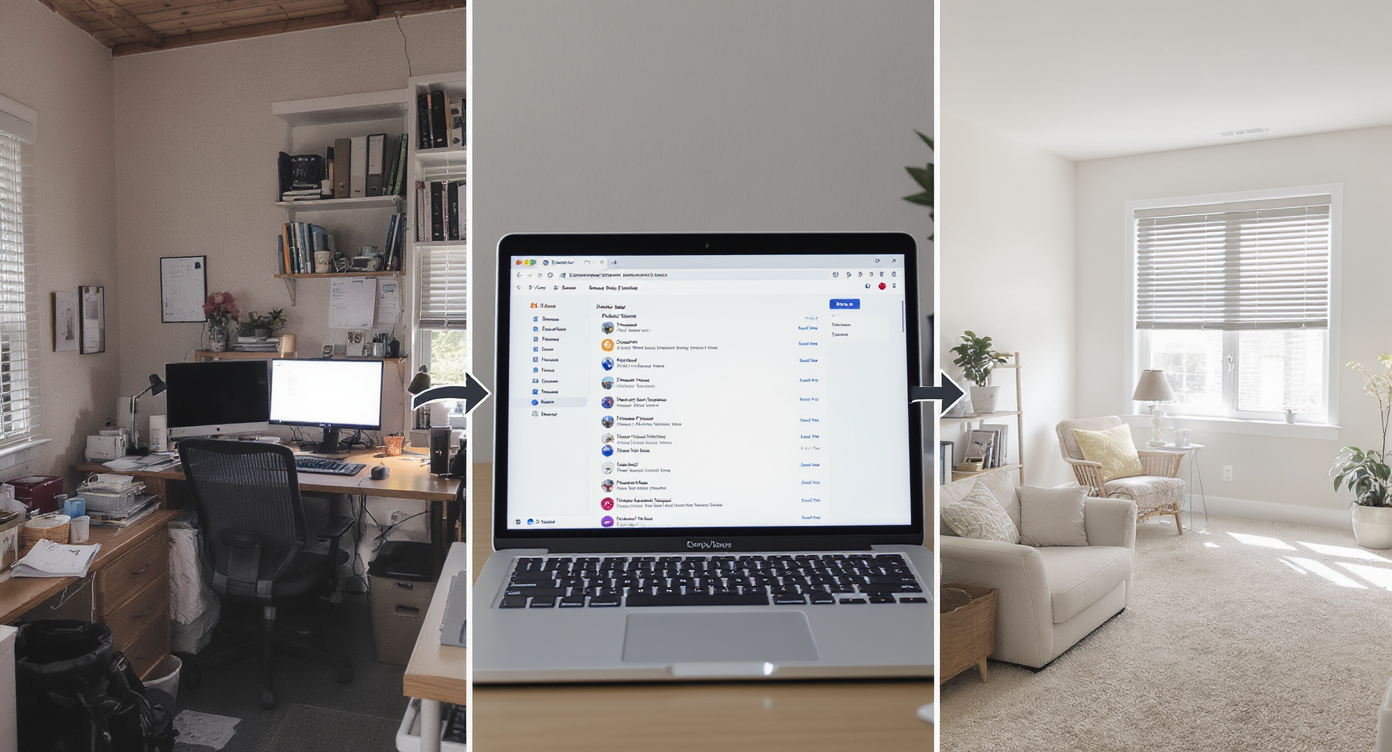
How Occupied to Vacant works: capture, upload, and instantly declutter your space with AI precision.
MLS and portals favor high-resolution images (ideally 3000+ pixels on the long edge), and so does AI. Start with the clearest photo you have.
- Pick the photo: Choose the angle that shows most of the floor and at least one window or doorway. Avoid extreme tilts.
- Upload to ReimagineHome.ai: Drop your image into the workspace and select Empty Your Space.
- Set your goal: You can aim for a fully vacant room or a partial declutter that removes piles, cords, or stray objects.
- Generate and review: In minutes, you’ll see a clean, believable version of the same room. If needed, re-run to refine.
- Plan next steps: Use the vacant image to decide storage, layout, or even to layer on staging.
- Export for use: Download the image sized for MLS, a project mood board, or a simple “before/after” to guide your tidy session.
Pro tip: If you only need a few items gone — say, a cardboard box, laundry pile, or a second chair — you can also try its clutter and object removal tool to keep everything else intact.
Tips and Tricks for More Realistic Results
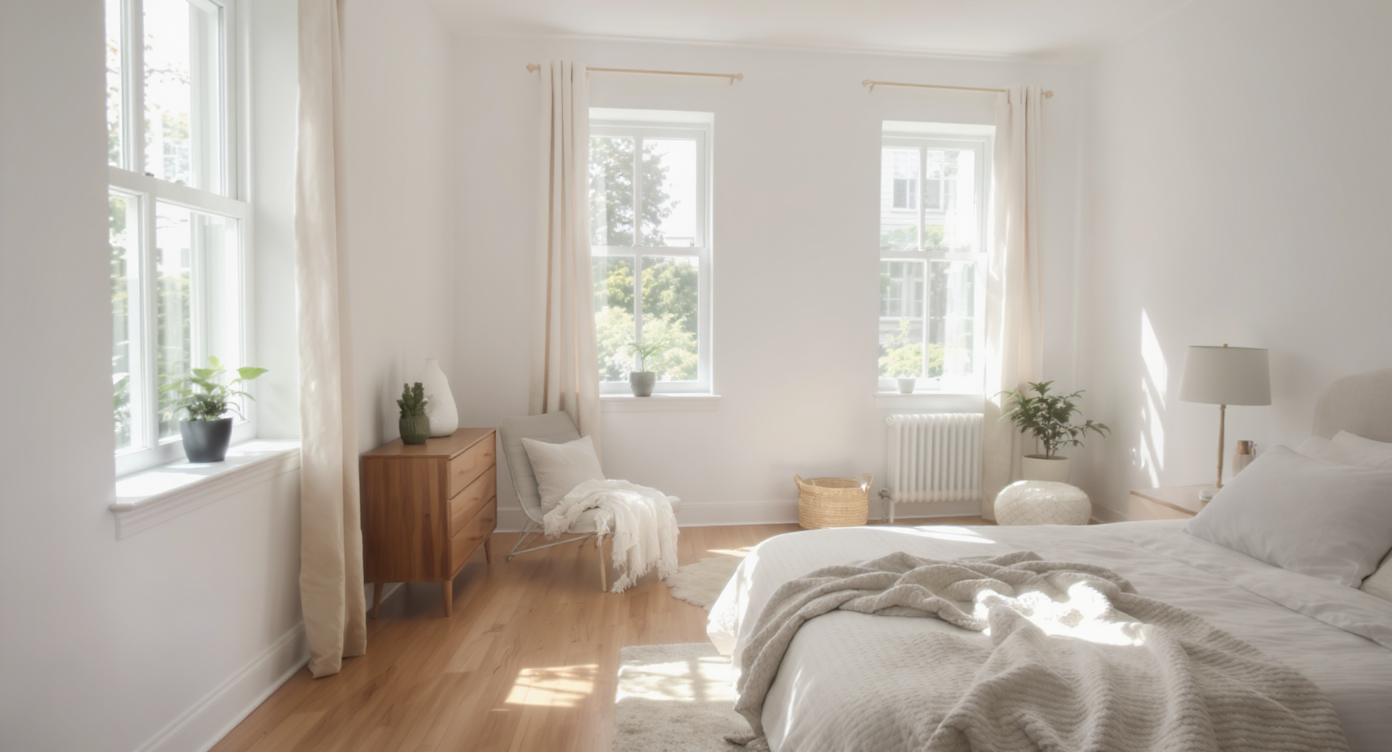
Good light and clear angles yield more realistic AI decluttering for accurate room previews.
Realistic results start with a simple rule: give the AI good light, square angles, and a clear intention (vacant vs. lightly decluttered).
- Shoot or choose the “hero” angle: Eye-level, straight lines, and minimal tilt make floors and walls render cleanly.
- Respect architecture: Keep built-ins, windows, and radiators unless you truly intend to hide them in marketing; the goal is clarity, not fiction.
- Declutter trash first IRL if possible: Removing obvious disposables (cups, bags) before you shoot improves realism, and your space will already feel better.
- Decide your end state: Fully vacant for planning a room makeover with AI, or partial for a lived-in look that still highlights space.
- Pair with staging: After a vacant pass, test furniture placement with ReimagineHome.ai’s virtual staging solution to preview a dresser vs. shelves, a desk vs. vanity, or a sofa size.
- Mind scale and shadows: Choose transformation results where light and floor grain remain consistent; if something looks off, regenerate.
- Save your set: Keep before, vacant, and staged versions together. They become your tidy roadmap and a quick motivator on tough days.
Visualization Scenario
A small bedroom feels chaotic every night. You upload one photo, generate a vacant view, then layer a narrow dresser and two wall hooks. The plan becomes: one hamper, one hook, one basket — and the floor stays clear.
FAQ
Is virtual decluttering allowed in real estate listings?
Rules vary by market. Many agents disclose edited images and include an original alongside a virtually decluttered or staged version. When in doubt, check brokerage and MLS guidance.
How do I remove clutter and objects from room photos with AI?
Upload a clear photo, choose Empty Your Space for a full vacant look or use the object removal tool for targeted edits, then export the result.
How realistic are the results from Occupied to Vacant?
The AI preserves lighting, floor patterns, and wall geometry so rooms read as authentic. If a result looks off, try a new angle or regenerate for a cleaner pass.
What resolution works best?
High-resolution images (around 3000 pixels on the long edge) produce the most consistent results. Avoid dim, blurry, or heavily compressed photos.
Can I use the vacant image to plan a room makeover with AI?
Yes. Generate a blank canvas, then test layouts or styles with ReimagineHome.ai’s AI virtual staging for interiors to compare furniture sizes, placements, and vibes.
Visualize Your Next Listing (or Project) Before You Commit
Twilight photos get clicks; vacant rooms get decisions. The point isn’t to pretend you live in a showroom — it’s to preview a calmer version of the space so your next step feels obvious. For some, that next step is a pair of wall hooks and a labeled bin. For others, it’s a new layout that finally tames the “doom pile.”
If you’re listing, this helps buyers see the bones. If you’re staying, it helps your brain breathe. Either way, a blank canvas is a powerful first draft. Try your own room with ReimagineHome.ai’s Occupied to Vacant Empty Your Space tool or start from the home page at ReimagineHome.ai and explore the options that fit your workflow.











.svg)


.png)