
TL;DR
Interior Renovation with ReimagineHome.ai lets you preview a hardwood floor refinish (stain colors, sheen) or a total replacement option from a single photo. It’s the fastest way to decide refinish vs replace without risk, perfect when a contractor says “not worth it” and you’re not convinced. Try this how to preview interior renovation with AI approach: upload a room photo to ReimagineHome.ai, test finishes, and compare costs and looks before you commit.
The Real Cost of Guessing on Your Floors
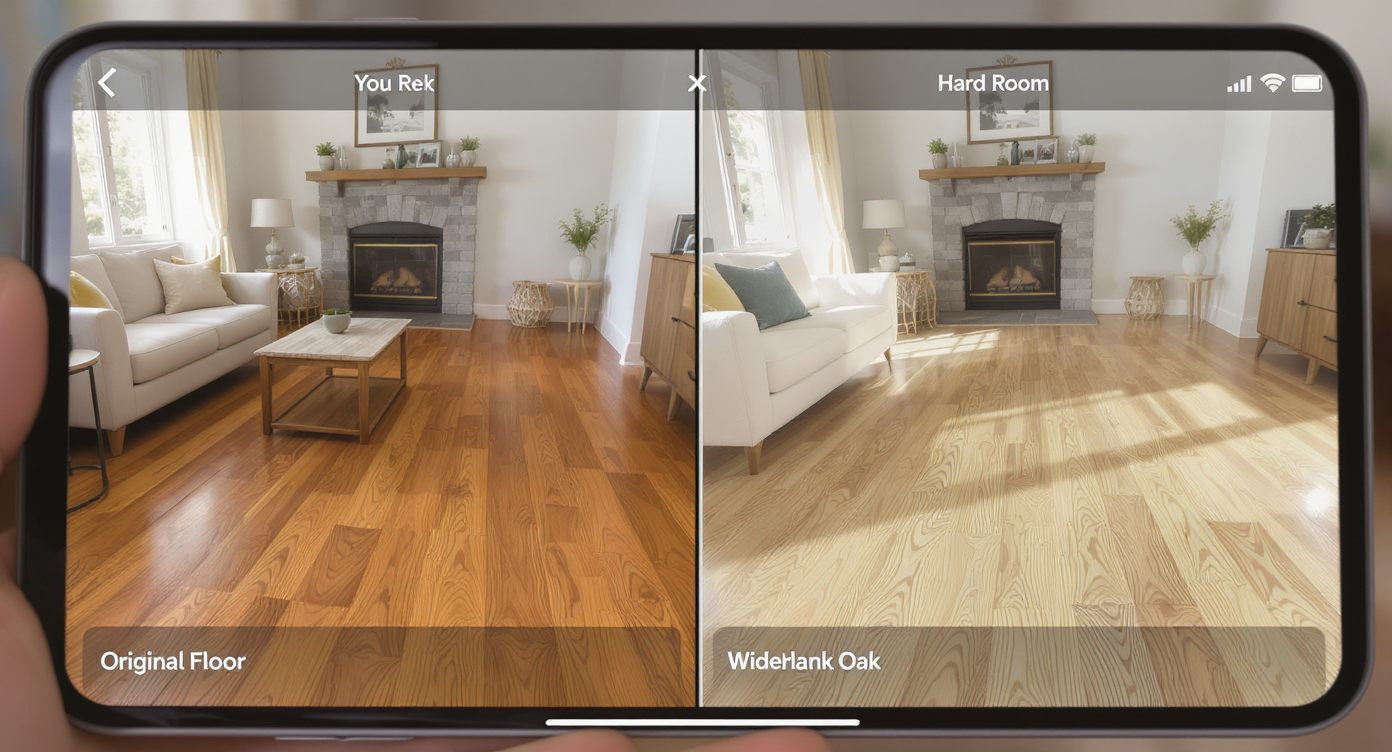
Compare refinishing versus replacement of hardwood floors instantly with realistic AI previews.
Interior Renovation with ReimagineHome.ai is an AI interior design workflow that turns one room photo into believable previews of refinished wood, alternate stains, or even new flooring. It matters because you can compare options side by side — refinish vs replace — before spending thousands or losing original hardwood value.
- Results: See multiple wood stain colors and sheens on your existing floor, then compare with replacement options like wider-plank oak or LVP.
- Realism: AI respects perspective, plank direction, and lighting so the preview feels like your room, not a sample board.
- Speed: Generate first looks in minutes; explore several “what if” versions in a single session.
- Cost: A photo-driven test is essentially free compared to demo, sanding, or buying boxes of materials to trial.
- Workflow: Shoot your room, upload, select Interior Renovation, pick finishes, iterate, export.
- ROI: Preserve old-growth hardwood when it’s viable — or choose a confident replacement path when it’s not.
- Peace of mind: Align spouse, contractor, and budget using the same visuals.
If you already have a tricky room in mind, upload it to ReimagineHome.ai and test this on a real photo while you read.
Why This Visual Problem Hurts More Than You Think

Original hardwood’s imperfections can impact value and buyer perception significantly.
Original hardwood often outlasts replacement options and, when shown well, drives better buyer and owner confidence than stock images or tiny stain swatches. The pain shows up when you can’t picture the refinish outcome at scale — decision paralysis leads to unnecessary tear-outs, or you choose a stain that reads differently across a whole room.
Here’s what usually happens in homes like yours: the wood is structurally fine, but squeaks and a few low spots make it “feel” worse than it is. Squeaks are frequently a subfloor or fastener issue, and shallow dips can be addressed during prep. The bigger trap is visual uncertainty. Without an at-scale preview, deep walnut may look chic on a sample but read too dark wall-to-wall; “natural” may look flat under your lighting; or a trendy grey fights your trim color. AI previews help you sort this out in minutes so your quotes — for either refinishing or replacing — are grounded in a look you actually want.
Anecdote
That perfect-but-original oak under old carpet: once the owners saw a satin walnut refinish in their exact living room photo, they dropped the replacement quote and fixed the squeaks instead.
What Interior Renovation Actually Is (In Plain Language)

AI tools simplify interior renovation decisions by visualizing options clearly and realistically.
Interior Renovation is ReimagineHome.ai’s AI home design tool that generates realistic, room-scale makeovers from a single photo. You upload a picture of your space; the AI recognizes floors, walls, and built-ins; then it renders alternatives — like a satin natural oak refinish or a medium brown stain — as if the work were already done.
Crucially, it’s not a structural inspection. You’ll still confirm thickness above the tongue-and-groove, subfloor condition, and squeak fixes on site. But for “what will this actually look like?” decisions, ReimagineHome.ai’s Interior Renovation tool gives you the missing visuals so you don’t over-replace or under-plan.
How Interior Renovation Works Step by Step
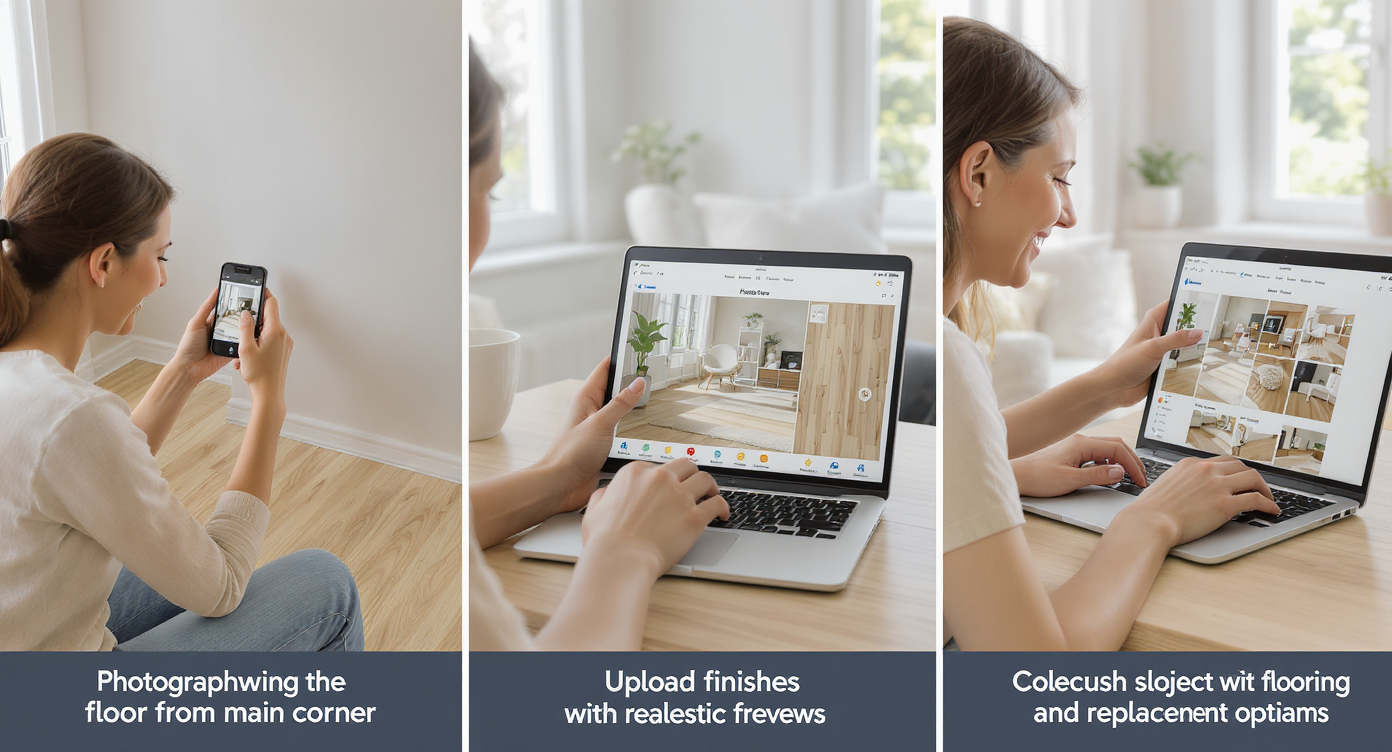
Capture, upload, and explore multiple flooring options quickly with intuitive AI workflows.
- Choose the right photo: Stand in a main corner and capture most of the floor plus adjacent walls. Natural daylight works best; turn on lamps if the space is dim.
- Upload to ReimagineHome.ai: Start a new project and select Interior Renovation.
- Pick your floor direction and type: Keep existing plank direction for refinish previews; explore alternate materials only for a replacement comparison.
- Select stains/finishes: Try natural, light oak, honey, medium brown, or classic walnut; test matte, satin, and semi-gloss sheens.
- Generate and compare: Create multiple versions and switch between them to see which fits your trim, cabinets, and light.
- Refine with details: Adjust tone warmth or try a subtle wire-brush look if you’re considering a replacement product that mimics texture.
- Export your picks: Save the top 2–3 renderings for contractor quotes or spouse decision-making.
Best practice: Use a photo at least 3000 pixels on the long edge for crisp results, and avoid rugs or heavy shadows that obscure the floor. Remember, AI provides visual planning — your contractor will still verify thickness, address squeaks, and level dips during prep.
Tips and Tricks for More Realistic Results
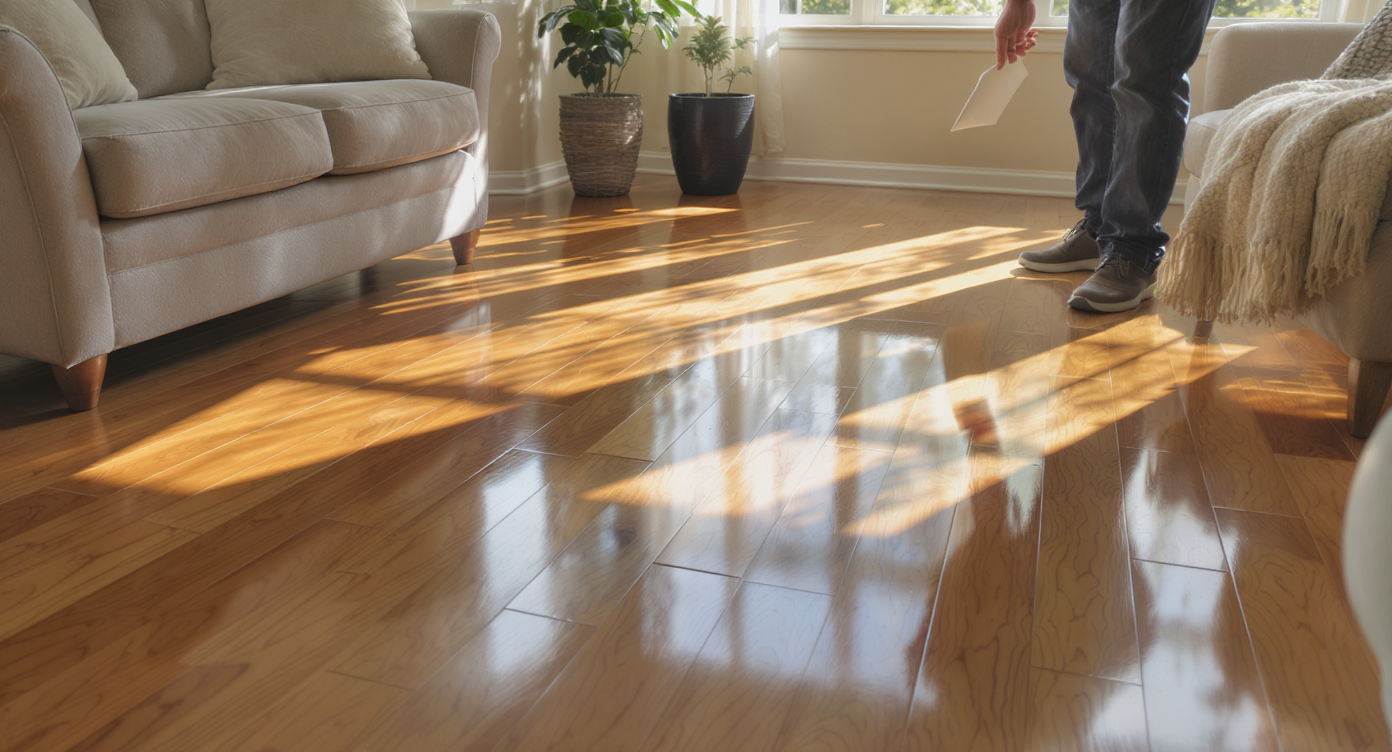
Use natural light and accurate samples to create realistic and trustworthy flooring previews.
Realistic AI previews start with realistic assumptions: keep species, light, and sheen believable for the house.
- Match the species: If your home has 2¼-inch red oak, preview stains that respect its grain — many mid-tones look fantastic and timeless.
- Test sheen honestly: Satin is the real-world sweet spot for most families; matte hides micro-scratches; gloss can highlight dips.
- Photograph clean floors: Pull runners and small rugs so AI can read plank seams and direction cleanly.
- Coordinate walls: Pair your floor tests with a wall color trial using ReimagineHome.ai’s Repaint Wall so undertones don’t clash.
- Fix structure in the plan: Note squeak zones for screws or adhesive from below; shallow dips can be addressed during sanding or patching. Visuals guide the finish; prep ensures longevity.
- Tune lighting: If your photo is dull or color-shifted, run a quick pass with its Image Enhancement tool to neutralize the light before previewing stains.
- Stay market-aware: In older homes, preserving original hardwood usually wins long-term value over installing imitators. Use previews to make that case.
Visualization Scenario
Take a daylight photo from the main corner of your living room. In ReimagineHome.ai, render three options: natural satin, honey matte, and medium walnut satin. Export side-by-sides and share with your contractor to align on prep and pricing.
FAQ
How can I preview wood floor stain colors with AI?
Upload a wide photo of your room to ReimagineHome.ai, choose Interior Renovation, and test multiple stain colors and sheens on your existing planks. It’s a photo to home design approach that scales beyond small samples.
Can AI show refinish vs replace floors side by side?
Yes. You can render one version as a refinish (same plank size, new stain) and another as a replacement material, then compare to decide which path suits your space and budget using Interior Renovation.
How realistic are AI interior renovation previews?
They’re designed to respect room perspective, plank direction, and lighting, giving a believable look for decision-making. Treat them as design previews; structural conditions still need a pro’s assessment.
What resolution do I need for good results?
Aim for 3000+ pixels on the long edge, with clear floor visibility and even lighting. Higher quality inputs produce more accurate room transformation AI output.
Will AI fix squeaks and floor dips?
No — AI is for visual planning. Squeaks typically require fasteners or subfloor work, and dips may need patching/leveling during prep; use the visuals to pick the finish, then have a contractor handle structure.
Visualize Your Next Listing (or Project) Before You Commit
Where Interior Renovation Totally Changes the Game
Even dated rooms can become clear decisions once you see them “after.”
- That 1950s oak hidden under carpet: The owners previewed natural, honey, and a medium walnut refinish. Seeing the whole living room in satin walnut convinced them to keep the original wood and invest in prep for squeaks. The result looked new, not new-ish, and saved thousands in avoidable demo.
- A flip with budget tension: The team mocked up a refinish versus wide-plank replacement. The previews showed the refinish pairing better with white trim and existing doors, so they redirected funds to lighting and paint — higher ROI, faster sale.
- A room with dips: A side-by-side preview helped the homeowners love a lighter stain, and the contractor planned subfloor repairs before sanding. Expectations aligned, and there were no surprises on reveal day.
Common Mistakes with Interior Renovation (and Easy Fixes)
Most disappointment comes from weak source photos or pushing an edit beyond what the house can carry.
- Using tiny or blurry photos — Fix: Shoot at high resolution and steady the camera; aim for 3000+ pixels long edge.
- Pretending structure is “just cosmetic” — Fix: Let AI handle color and style; have a pro address squeaks and dips in prep.
- Over-dark staining in low-light rooms — Fix: Preview matte or satin in mid-tones and adjust wall color to balance reflectance.
- Ignoring the home’s style — Fix: Keep stains classic in traditional homes; go lighter and cleaner in modern spaces.
- Not aligning with trim/cabinet tones — Fix: Preview floors and walls together so undertones play nicely.
Who Gets the Most Value from This Tool
Anyone facing a “refinish vs replace” decision benefits from visual clarity.
- Homeowners: Reduce regret, preserve character, and budget for the right prep — not guesswork.
- Agents and investors: Use room design AI to quickly align a listing plan; previews can justify keeping original hardwood in marketing.
- Photographers and media pros: Offer AI interior ideas as an upsell — visuals that help clients choose finish paths.
- Contractors and refinishers: Sell the right scope with side-by-side previews that set expectations and reduce change orders.
- Designers/stagers: Lock in stain, sheen, and wall color simultaneously; export concepts for client approvals.
Visualize Your Next Listing (or Project) Before You Commit
Good floors carry a home’s story. Before anyone swings a sander or a pry bar, rehearse the look with AI — the tone, the sheen, the way light plays across the room. Start a room makeover AI test with your own photo, choose two or three contenders, and walk into your contractor meeting with confidence. Explore ReimagineHome.ai’s Interior Renovation to preview the refinish you’ll love — or the replacement you won’t regret. For other quick wins you can visualize first, see this guide on easy DIY home repairs you can pre-visualize.