.svg)

.svg)
.svg)

TL;DR
Sky replacement is an AI edit that swaps a dull or inconsistent sky for one that matches the scene’s light and mood — and it should only be used when it helps the house read better. If you’ve wondered why editors sky swap even on blue-sky days, the answer is consistency and speed, but you can control it for natural results. For a gentle, real-looking upgrade, try ReimagineHome.ai’s Sky Replacement tool, and use it sparingly to keep the home the focus. Long-tail: best sky replacement tool for real estate, how to turn day listing photos into dusk.
Why These Exterior Photos Aren’t Doing Your Listing Any Favors
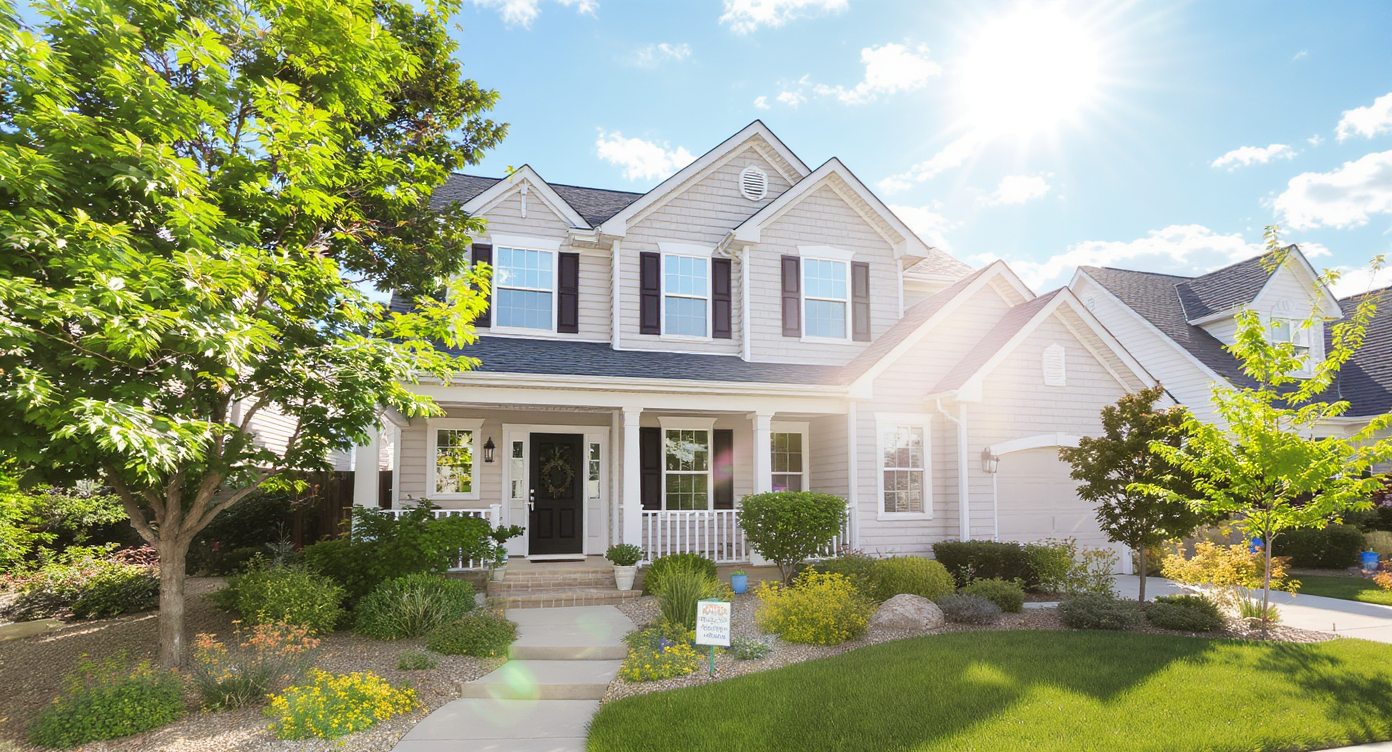
Smart sky replacement enhances natural light and mood without distracting from the home.
AI sky replacement swaps the sky in a photo with one that better fits the light, angle, and mood; used well, it fixes flat skies and inconsistent sets without stealing focus from the house. It matters because exterior photos often need subtle consistency more than drama — the property should remain the brightest, clearest subject.
- Results: Balanced, natural exteriors that keep attention on the home, not the clouds.
- Realism: Match sun direction, color temperature, and softness; avoid cartoon skies.
- Speed: One upload, a few clicks; batch across a set when consistency is the goal.
- Cost: Cheaper than reshoots; less time than manual masking and grading.
- Workflow: Use selectively; keep the original when the sky looks great.
- ROI: More compelling hero images often lift click-through from the listing carousel.
- Peace of mind: Control the look; no more auto-swaps you didn’t ask for.
If you already have a tricky exterior in mind, upload it to ReimagineHome.ai and test a gentle sky replacement while you read.
Why This Visual Problem Hurts More Than You Think
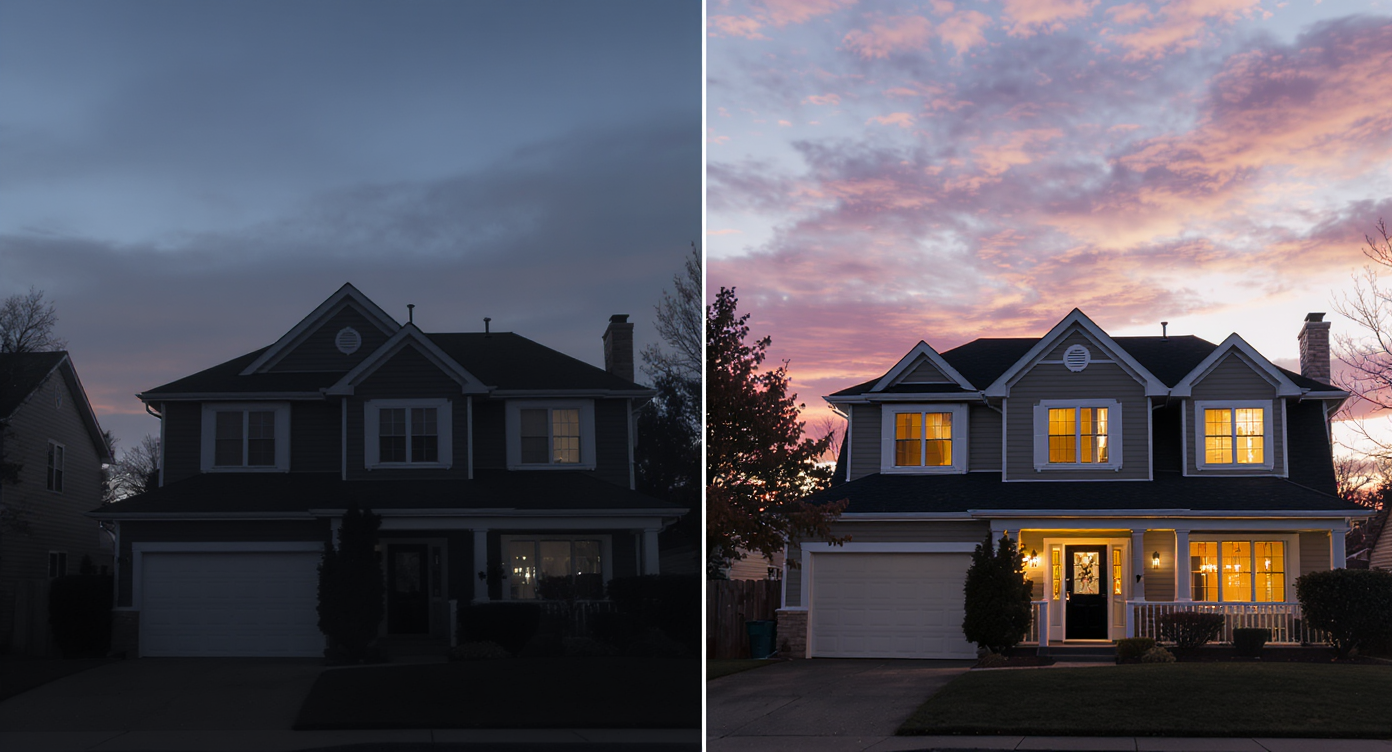
Poor sky tweaks harm image appeal; subtle replacement keeps home as visual focus.
Twilight-style or well-balanced exterior photos frequently rank among the most-clicked images in a listing carousel, while overdone skies can trigger distrust and fast swipes. The pain shows up in scroll behavior — if the sky grabs the eye first, buyers miss the roofline, siding, windows, and yard. On perception, overly dramatic clouds or mismatched light can look fake, which quietly erodes confidence. And for agents and sellers, auto-swaps that ignore instructions feel like you’re losing control of the brand’s visual standard.
Here’s the nuance: many editors batch-replace skies to normalize color and exposure across angles (CPL filters and sun position can shift the sky from frame to frame). That’s a valid goal, but it shouldn’t overpower the subject. A natural, lightly lifted sky usually outperforms a sky that becomes the star of the photo.
Anecdote
That exterior shot with a perfect facade but a sky that pulls your eye away — you fix the sky, and suddenly the roofline, paint, and windows read in one clean glance.
What Sky Replacement Actually Is (In Plain Language)
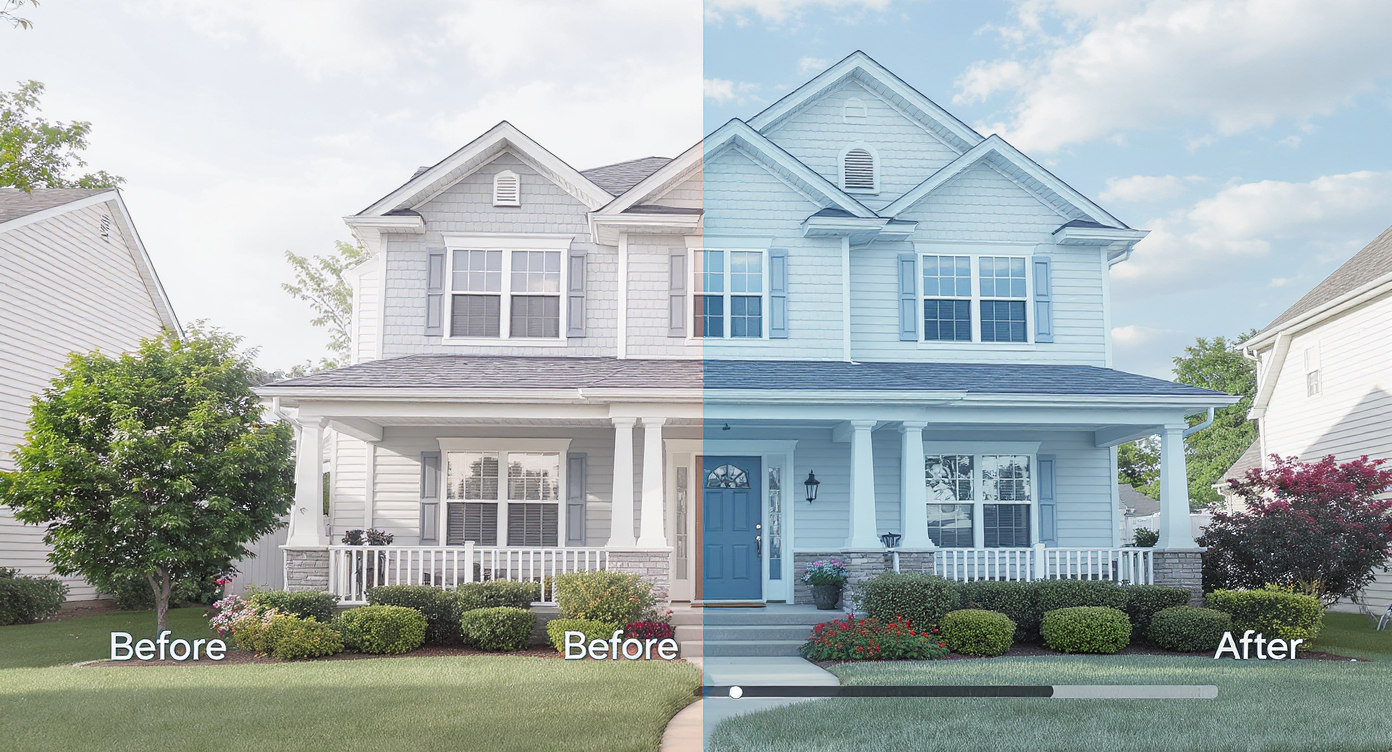
AI-powered sky replacement precisely masks and swaps skies to match natural scenes.
Sky replacement is an AI-powered edit that detects the horizon, masks the original sky, and composites a new one that’s blended for exposure, color, and edge detail. You provide a photo; the tool outputs a revised image with a sky that fits the scene — from soft midday to gentle golden hour, even a subtle dusk look.
When you want control and consistency without theatrics, use ReimagineHome.ai’s Sky Replacement tool. It’s built for real estate: it preserves architecture, respects lines and trees, and lets you dial intensity down so the home remains the hero. You can choose sky moods, align sun direction, and keep color grading consistent across the set.
How Sky Replacement Works Step by Step
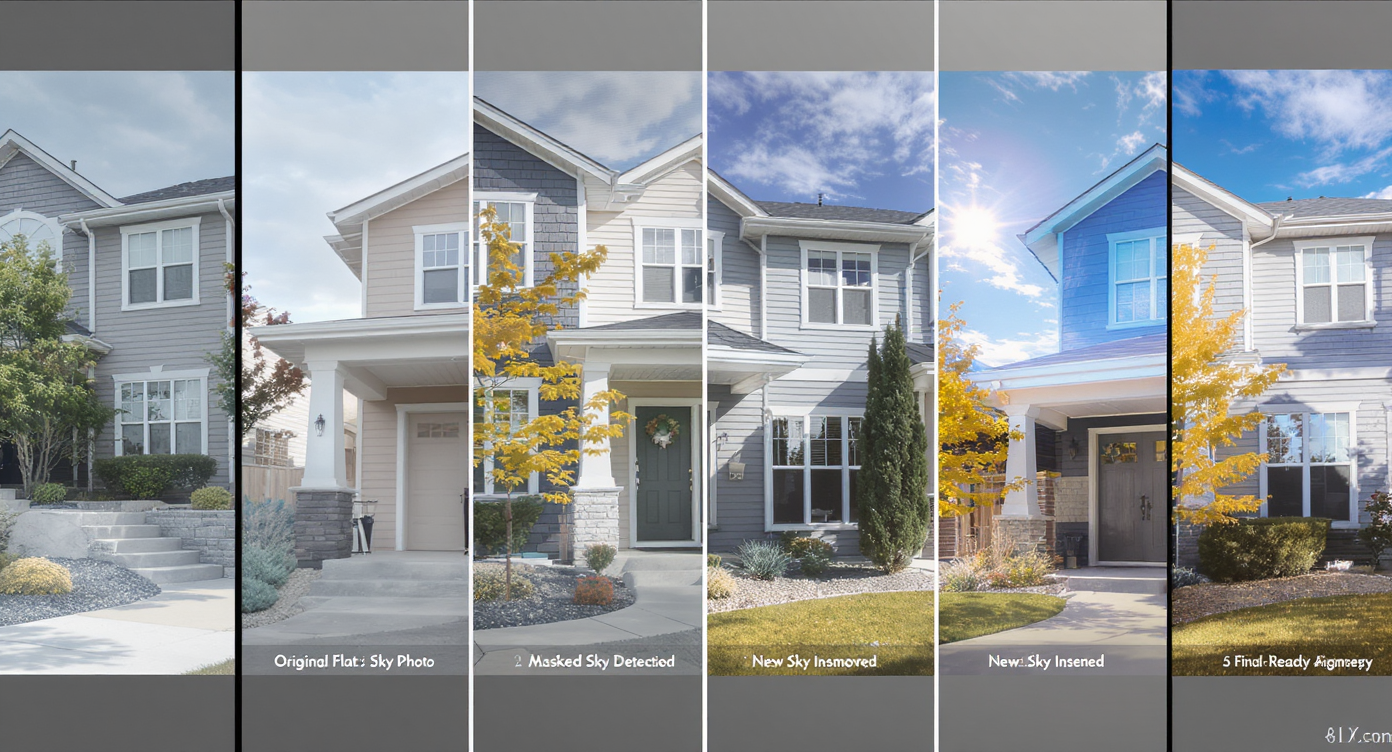
Stepwise sky replacement process delivers realistic, high-res exterior photos.
MLS-ready exterior images typically look best at high resolution (ideally 3000–5000 pixels on the long edge) with clean edges around roofs and trees for better masks. Follow this quick flow:
- Choose the right photo(s): Pick angles where the horizon is clear and highlights aren’t blown out. Watch for strong CPL gradients that darken parts of the sky.
- Upload to ReimagineHome.ai: Start with the highest-resolution file you have.
- Select the Sky Replacement tool: Choose a sky mood that matches the listing’s actual light — soft midday for noon, warm but restrained for late afternoon, or a subtle twilight if you truly need “day to dusk photos.”
- Match direction and tone: Align sun direction to the property’s shadows; pick a color temperature close to the facade’s light.
- Dial back the drama: Reduce cloud contrast and saturation until the house is the first thing your eye finds.
- Check edges and reflections: Zoom to eaves, trees, fences, and window reflections; refine if you spot halos or color fringing.
- Export for MLS/portals: Keep JPEGs around 3000–4000 px long edge for clarity without bloat.
Constraint to respect: if the real sky is already great, don’t replace it — just lift exposure and contrast slightly. For that, try ReimagineHome.ai’s image enhancement tool to brighten and balance without a swap.
Tips and Tricks for More Realistic Results

Matching sun direction and soft clouds ensures sky replacement looks authentic and inviting.
Rule of thumb: if the sky steals the show, you’ve gone too far.
- Match sun direction: Clouds must be lit from the same side as the house. Opposite light equals instant “uncanny.”
- Keep the blue believable: Real midday blues are lighter and slightly cyan; avoid cobalt saturation except for true high-altitude markets.
- Scale the clouds: Oversized, puffy clouds can read as clip art. Smaller, wispy forms feel real and less distracting.
- Respect local climate: Use sky types buyers expect (marine layer coastlines, crisp plains, humid haze). Familiar = trustworthy.
- Check edges at 200%: Look for halos along rooflines and tree leaves; refine the mask if you see bright outlines.
- Mind reflections and water: If the scene includes windows or a pool, a bright new sky should subtly echo there. If you’re also tuning water clarity, coordinate edits rather than stacking extremes.
- Be consistent across the set: Use one or two sky moods per property. Jumping between dramatic and flat skies makes the tour feel stitched together.
- Know when to skip it: When the original sky already supports the house, enhance exposure and contrast instead of swapping. For seasonal mismatches, consider ReimagineHome.ai’s Seasonal Reset to move from gray winter to spring greens without overplaying the sky.
Visualization Scenario
Upload a front-elevation photo, choose a soft midday sky that matches the actual shadows, and nudge saturation down until the door and landscaping become the first things you notice.
FAQ
Why do editors sky swap even when the sky is already blue?
Batch workflows favor consistency across angles, and CPL filters or changing sun can make skies vary shot to shot. Use a tool that lets you skip or tone down the swap so the house stays the subject.
How realistic are AI sky replacements for real estate?
They can be very realistic if you match sun direction, color temperature, and intensity — and if you keep cloud contrast modest. Over-saturated, high-drama skies are what break the illusion.
When should I not replace the sky?
Skip it when the original sky already supports the composition. Use light exposure and contrast adjustments instead via image enhancement to preserve authenticity.
What resolution do I need for good results?
A long edge of 3000–5000 px is a safe range for MLS and portals. Higher resolution helps the AI produce cleaner masks around eaves and trees.
Can I turn day listing photos into dusk with sky replacement?
Yes, a subtle twilight mood is possible, but match direction and keep color believable. If you push it, keep the home lit appropriately so the scene remains plausible.
Visualize Your Next Listing (or Project) Before You Commit
Before/after snapshots tell the story:
- The “too blue” noon: A CPL left parts of the sky dark and parts light. With a soft, even sky and reduced saturation, the roofline and siding read cleanly, and the carousel hero finally looks cohesive.
- The mixed-angle set: East and west elevations shot an hour apart didn’t match. A gentle, same-direction sky across both frames made the tour feel like one moment in time — the agent reported more saves and longer dwell.
- The off-season listing: Frosty grass and a flat overcast sky made the yard feel smaller. A mild sky plus a seasonal refresh produced a friendlier first impression and steadier showings.
Most disappointment with sky replacement comes from pushing edits past plausibility, not from the tool itself. Keep the property as the brightest, most detailed subject; let the sky support the read, not redirect it. Use high-resolution inputs, match light direction, and stay consistent — the result feels photographed, not fabricated.
Who benefits most? Agents and teams get reliable hero images fast; brokerages maintain brand consistency; photographers gain a controllable alternative to heavy manual compositing; sellers and investors avoid reshoots and weather delays.
Think of this as rehearsal for the exterior’s story. With gentle, selective changes, you can preview a balanced sky, ensure the architecture shines, and publish with confidence. Try a restrained pass with ReimagineHome.ai’s Sky Replacement tool, or start from the home dashboard at ReimagineHome.ai.











.svg)


.png)