.svg)

.svg)
.svg)
TL;DR
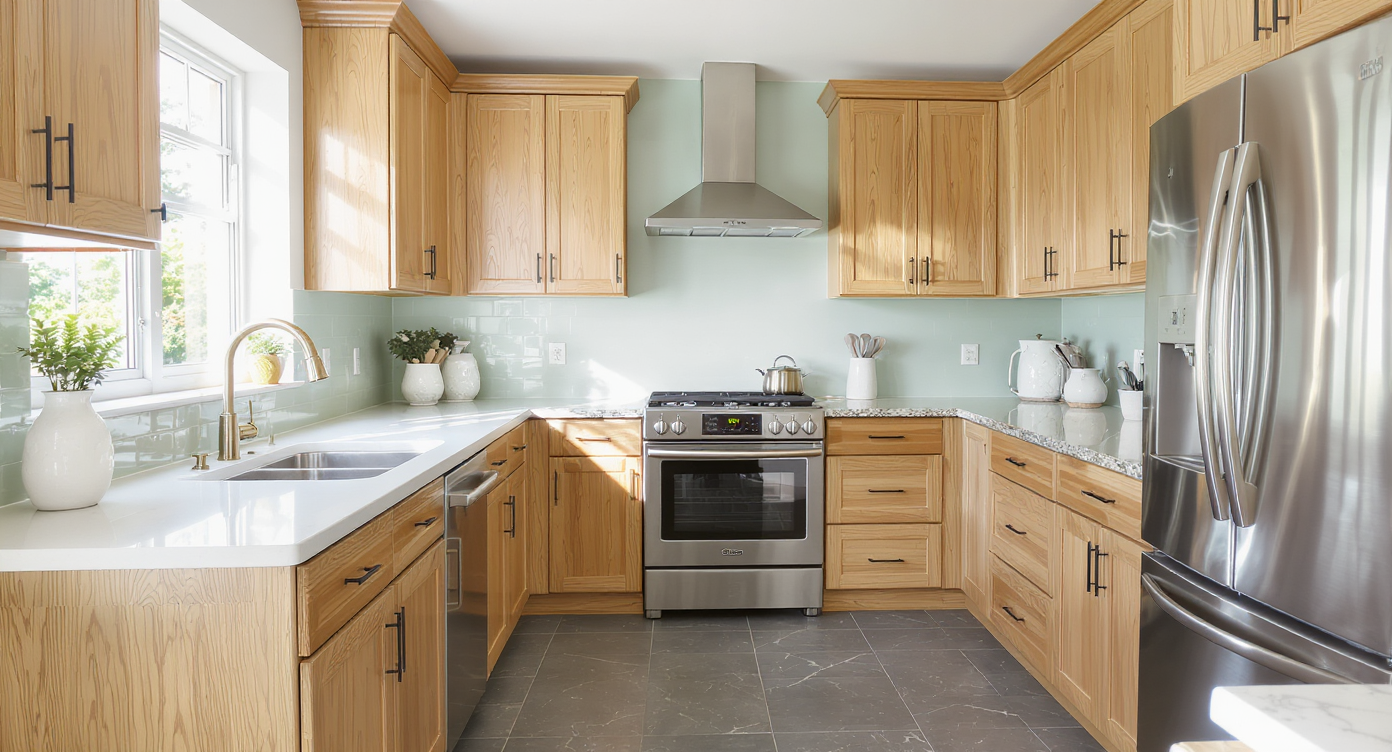
Surface restyling with AI is the fastest way to preview countertop, backsplash, grout, cabinet stain/paint, and wall colors on your real kitchen photo. If you’re asking “what color palette works with oak cabinets and blue/slate floors,” this is how to test it visually in minutes. Try it on your own image with ReimagineHome.ai to avoid paint-regret and mismatched finishes. It’s quick, realistic, and far cheaper than sampling in the real world.
The Real Cost of Guessing on Color in a Small Kitchen
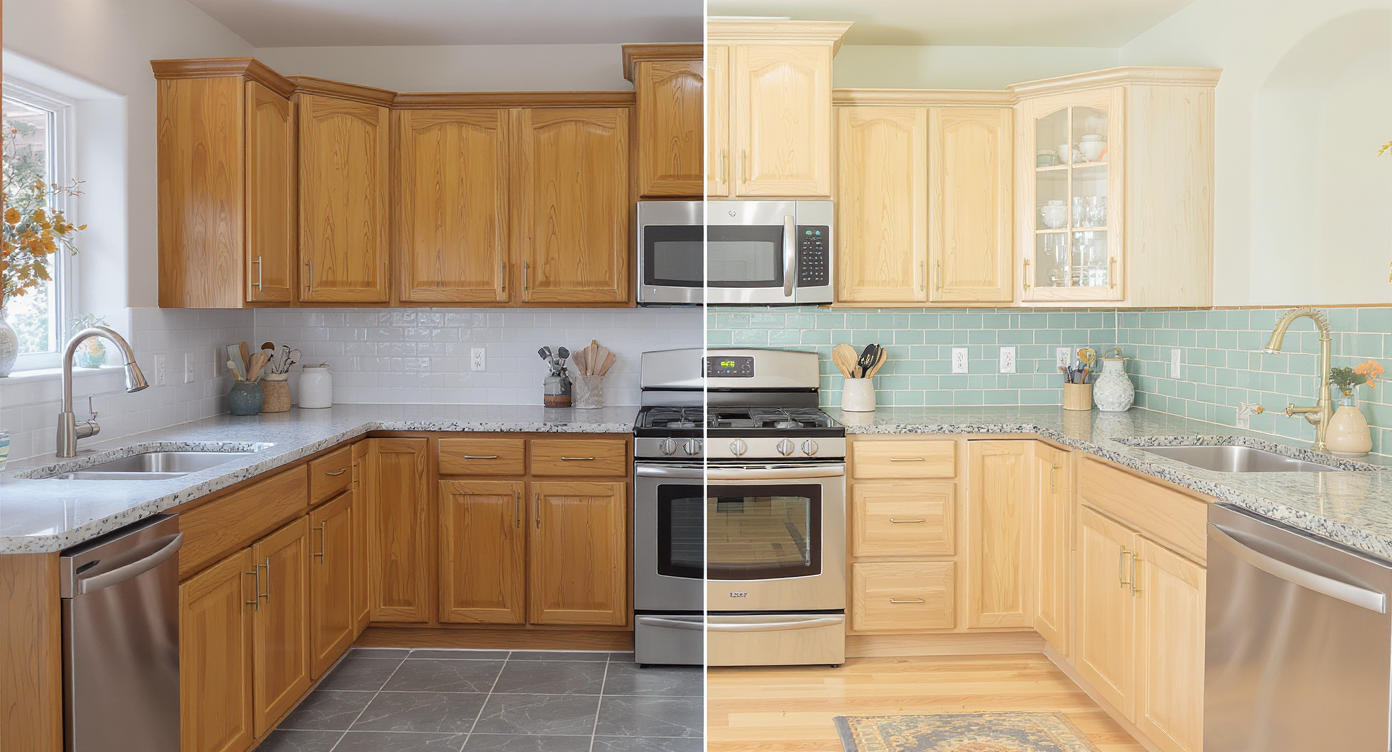
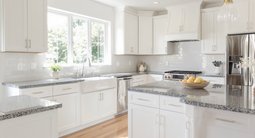
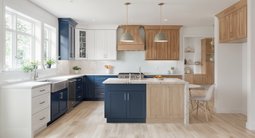
AI surface restyling enables side-by-side kitchen design comparisons on your real photo for confident choices.
AI surface restyling is a simple way to recolor or retexture cabinets, counters, backsplash, grout, walls, and floors on a photo of your actual kitchen. It solves the oak-cabinets-meet-slate-blue-floor puzzle by showing you multiple palettes side by side, so you can choose confidently instead of guessing.
- Results: See quartz vs. granite, seafoam vs. sage backsplash, champagne bronze vs. matte black hardware—on your exact space.
- Realism: Good lighting and a sharp photo make AI restyles look like a believable before/after.
- Speed: Generate several options in minutes; compare variations without stripping a single cabinet door.
- Cost: Spend a few dollars to avoid five-figure mistakes and endless sampling.
- Workflow: Try counters first, then backsplash, then walls and grout; finish with hardware and lighting.
- ROI: Better choices now mean less rework later; if you sell, cohesive finishes photograph—and show—far better.
- Peace of mind: Get buy‑in from partners or contractors with visuals, not abstract color names.
If you already have a tricky kitchen photo in mind, upload it to ReimagineHome.ai and test surface restyling on a real image while you read. For deeper counter/backsplash trials, open ReimagineHome.ai’s Surface Restyling tool and run a few palettes back to back.
Why This Visual Problem Hurts More Than You Think
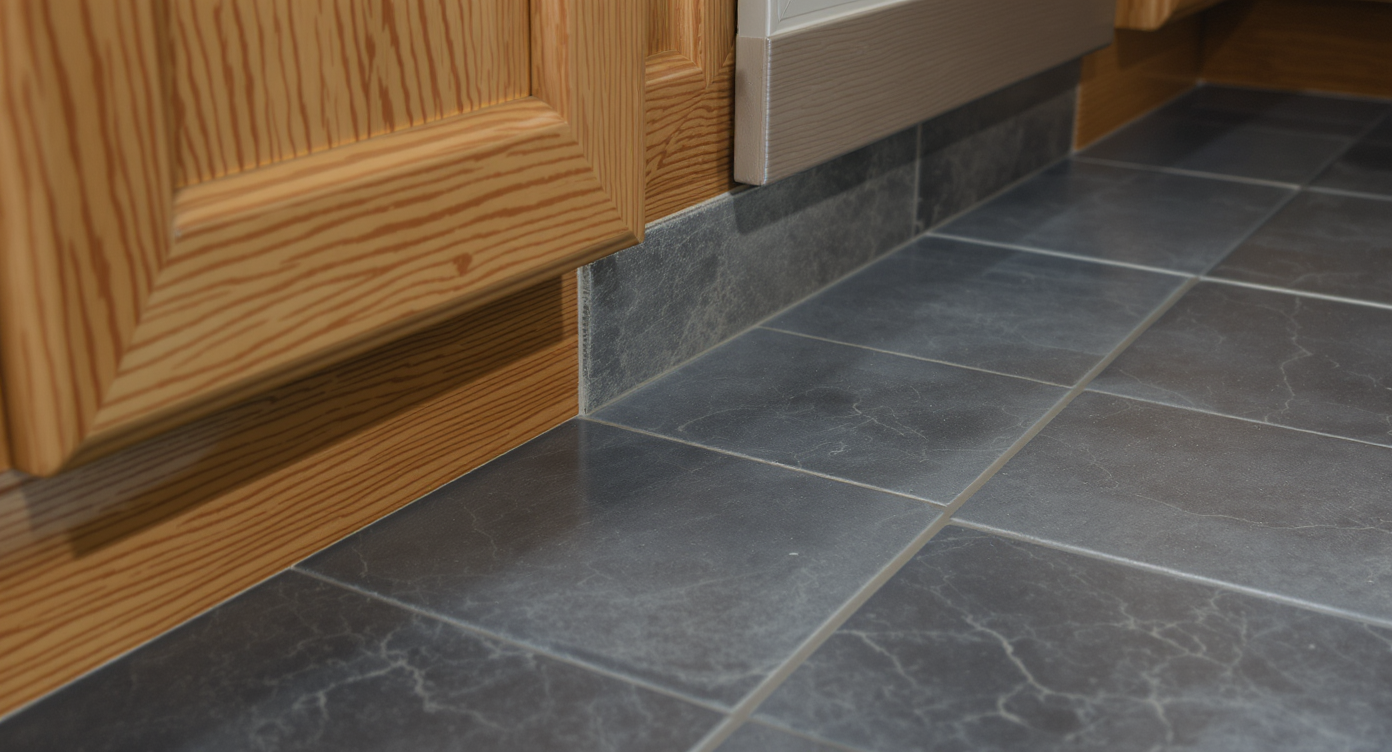
Undertone conflicts between oak cabinets and slate floors can cause visual tension even in well-kept kitchens.
Even well-kept honey oak and slate-blue floors can clash on camera if undertones fight—warm, orange-leaning wood versus cool, gray-blue tile. That tension shows up as visual noise: the floor feels busier, the cabinets look more saturated, and the cheap Formica counter draws attention it shouldn’t. In a tight kitchen, every decision is amplified, and mismatched finishes can make the space feel smaller and more chaotic.
Where homeowners feel it most: you keep buying samples—paint chips, tile sheets, quartz brochures—and each looks different under your lighting. Partners disagree. A new counter is a big check to write when the palette isn’t locked. With AI interior design from photo, you can align undertones first, then shop with purpose.
Anecdote
That compact kitchen with honey oak, a slate-blue tile floor, and a Formica counter that steals the show—after one AI restyle, a light quartz top and seafoam tile instantly calmed the room and made the wood feel intentional again.
What Surface Restyling Actually Is (In Plain Language)
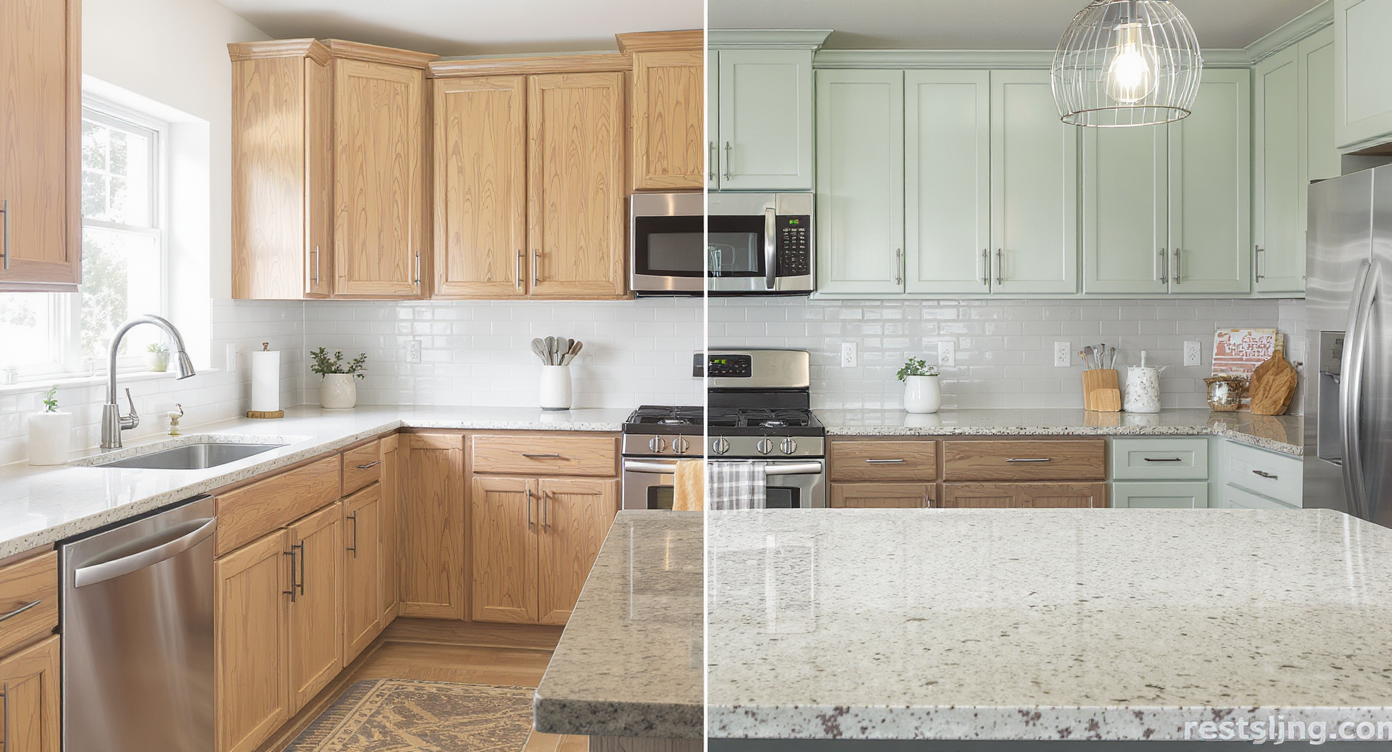
AI surface restyling recolors and retextures your kitchen surfaces for easy comparison and design exploration.
Surface restyling is AI that recolors and retextures surfaces (cabinets, counters, tile, grout, walls, even floors) from a single photo so you can see your best options before you buy. You provide a clear image; it returns realistic previews you can compare, refine, and share.
With ReimagineHome.ai’s Surface Restyling tool, you can test light quartz vs. soapstone-inspired counters, zellige seafoam vs. soft sage backsplash, lighter grout vs. charcoal, and cabinet stain/paint shifts to cool down the orange. Inputs: a high-resolution kitchen photo (ideally 2000–3000 px on the long edge) with decent daylight. Outputs: downloadable images you can hand to your contractor or use to gather quotes.
How Surface Restyling Works Step by Step
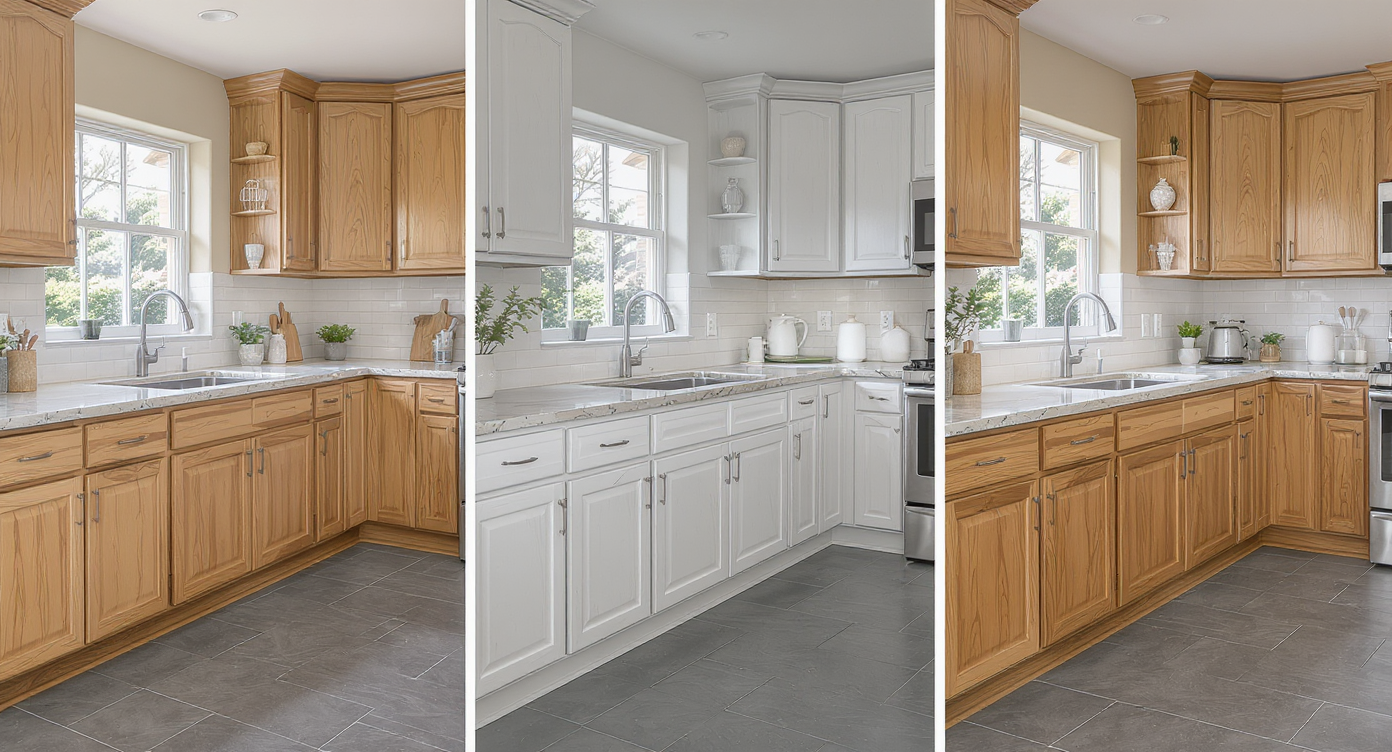
Follow the AI surface restyling process from photo to realistic design variations in minutes.
High-resolution, well-lit photos produce the most convincing AI restyles.
- Choose the right photo: Step back to capture the full cabinet run, counters, floor, and any window light. Turn off harsh overheads to avoid mixed color temperatures.
- Upload to ReimagineHome.ai and select Surface Restyling.
- Pick your first change: Start with the biggest visual driver—counters—then audition backsplash, wall color, and grout. If keeping honey oak, test a cooler stain shift or a soft-cream wall that flatters the wood.
- Dial in specifics: Try seafoam, sage, and blue-gray backsplash families to tie into slate floors. Compare warm-veined quartz vs. crisp white, and test both champagne bronze and matte black accents.
- Generate and compare: Save 3–5 versions for quick A/B viewing. Label them by palette (e.g., “light quartz + seafoam + light grout”).
- Refine: Nudge undertones warmer/cooler until wood and tile feel like one story. Adjust grout a shade lighter or darker to calm busy patterns.
- Export: Download high-res images for your decision deck or to brief your fabricator.
Pro tip: If your counters are cluttered, first clear them digitally so finishes are easier to judge. You can quickly remove items with ReimagineHome.ai’s Occupied → Vacant tool before restyling surfaces.
Tips and Tricks for More Realistic Results
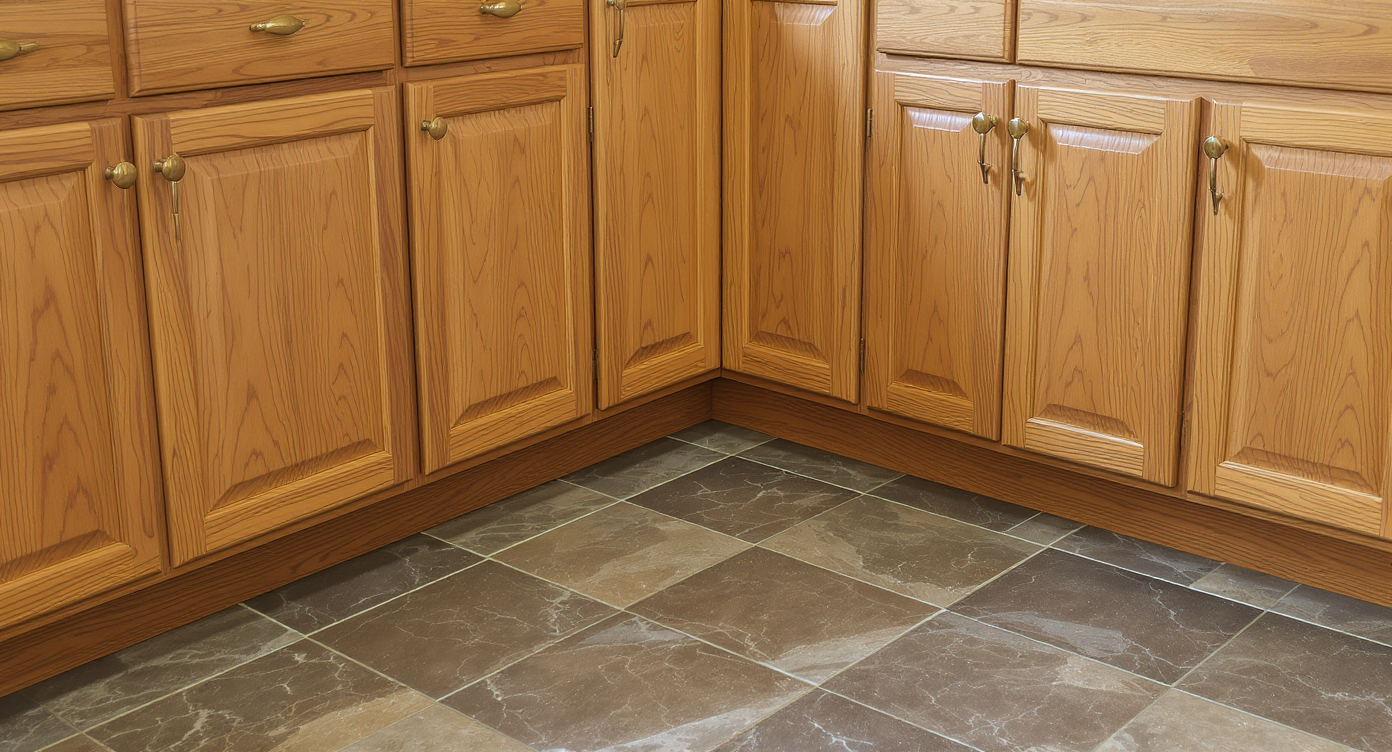
Aligning undertones in surfaces creates harmonious, realistic kitchen designs with lasting appeal.
A simple rule of thumb: align undertones across wood, stone, and tile; then decide if metal finishes should warm the palette or add contrast.
- Cool the oak, don’t fight it: Keep the grain by testing a cooler, ashy stain visualization or pair the existing honey tone with warm white walls (soft cream) so the wood reads intentional.
- Tame a busy floor with scale and grout: If you plan to replace tile later, test larger-format porcelain in a consistent green-gray or greige. If not, preview lighter grout to reduce contrast and visual busyness.
- Backsplash as bridge color: Seafoam, sage, or blue-gray zellige can connect oak warmth to slate coolness. Vertical stacks feel fresh in tight kitchens.
- Countertop clarity: Light quartz with subtle warm veining brightens small rooms. Soapstone-inspired visuals add depth if you prefer moodier contrast.
- Hardware and faucet harmony: Champagne bronze warms and flatters oak; matte black modernizes and works well if you cool the wood or grout. Use the Swap Furniture & Objects tool to audition a new pull shape or pendant style.
- Paint the ceiling the wall color: In very small kitchens, a continuous warm white on walls and ceiling can expand the feel and de-saturate orange tones below.
- Shoot for realism: Provide photos at 2000–3000 px on the long edge, taken in consistent daylight, and keep edits plausible to your actual materials.
Visualization Scenario
Upload a well-lit photo of your kitchen. Generate three versions: (1) light-veined quartz + seafoam zellige + warm white walls + champagne bronze pulls, (2) soapstone-look counter + blue-gray stack tile + charcoal grout + matte black pulls, (3) light quartz + soft sage backsplash + lighter grout + ashy wood tone on cabinets. Compare them side by side and pick the palette that harmonizes oak and slate.
FAQ
Can AI really recolor honey oak cabinets and still look believable?
Yes—AI interior design from photo can preview cabinet stain shifts and paint colors convincingly, especially from a high-quality photo with even light. Keep changes plausible to your wood species and desired finish.
How do I test countertop and backsplash options against a blue/slate floor?
Start with counters in Surface Restyling, then audition seafoam, sage, or blue-gray backsplash tiles to bridge the floor’s cool tone with the cabinet’s warmth. Save multiple versions for direct comparison.
Will surface restyling change my kitchen layout or move my dishwasher?
No. Surface restyling is for finishes—cabinets, counters, tile, grout, and paint. It’s ideal for color decisions in tight or quirky layouts, but it won’t relocate appliances.
What resolution do I need for good results?
Use clear, high-resolution photos—ideally 2000–3000 pixels on the long edge—with minimal glare and consistent daylight. Sharper images yield more realistic restyles.
Is it okay to use AI restyled images in real estate listings?
If you’re selling, keep edits honest and disclose any visual modifications. To test listing-friendly finish ideas before you renovate, use Surface Restyling privately to plan your palette.
Visualize Your Next Kitchen Before You Commit
One realistic preview can shortcut weeks of second-guessing. Instead of arguing over cream vs. white or sage vs. seafoam, use room design AI to line up a few believable options and let the best palette win on your screen.
Ready to see your counters, backsplash, grout, and cabinet tones come together? Try Surface Restyling on ReimagineHome.ai or upload your photo at the home page and build your own side-by-side board. Confident choices now mean a kitchen that looks intentional, photographs beautifully, and lives better every day.







.svg)


.png)